Tested with EmDash 1.1.0 and WordPress 7.1.2 on 5 October 2026. Revised for EmDash 1.2.0 on 7 October 2026. What changed is listed at the end of the guide.
When did you last ask yourself whether WordPress is still the right platform for your clients? Since EmDash 1.0 came out and started showing up everywhere as the modern WordPress alternative, a lot of agencies have been asking exactly that. If your agency looks after a hundred WordPress sites, though, the answer can't be a gut decision, because every second platform is one more thing your team has to know, maintain and update.
I know both sides. I run a WordPress agency myself and also work on EmDash as a maintainer, among other things on the import of WordPress content. This guide isn't meant to sell you a platform. It's meant to show honestly where EmDash has the edge, where WordPress is clearly better and what a switch actually costs in practice.
That's why I didn't rely on docs and announcements but tried it myself: I imported a typical agency WordPress site into EmDash and then updated three EmDash sites and three WordPress sites to a new version. Some things surprised me in a good way, others annoyed me quite a bit, and some of the bugs are even in code I wrote myself. Every claim in the text links to its source, so you can check everything yourself.
New projects yes, big moves no
EmDash can be worth it today for new projects that are mostly about content, such as company sites, magazines, documentation or multilingual sites, where the editors don't need a page builder. For shops, membership areas and sites built with Elementor or Divi, WordPress remains the better choice.
Moving existing sites only pays off in simple cases, because EmDash doesn't run PHP. Your theme and your plugins don't come along, only the content does, and you rebuild everything else.
What surprised me most during testing were the updates. An EmDash site never updates itself. Every update is a code change with a new deployment, site by site. With a large portfolio, that drives your running costs more than the one-off migration.
What is EmDash?
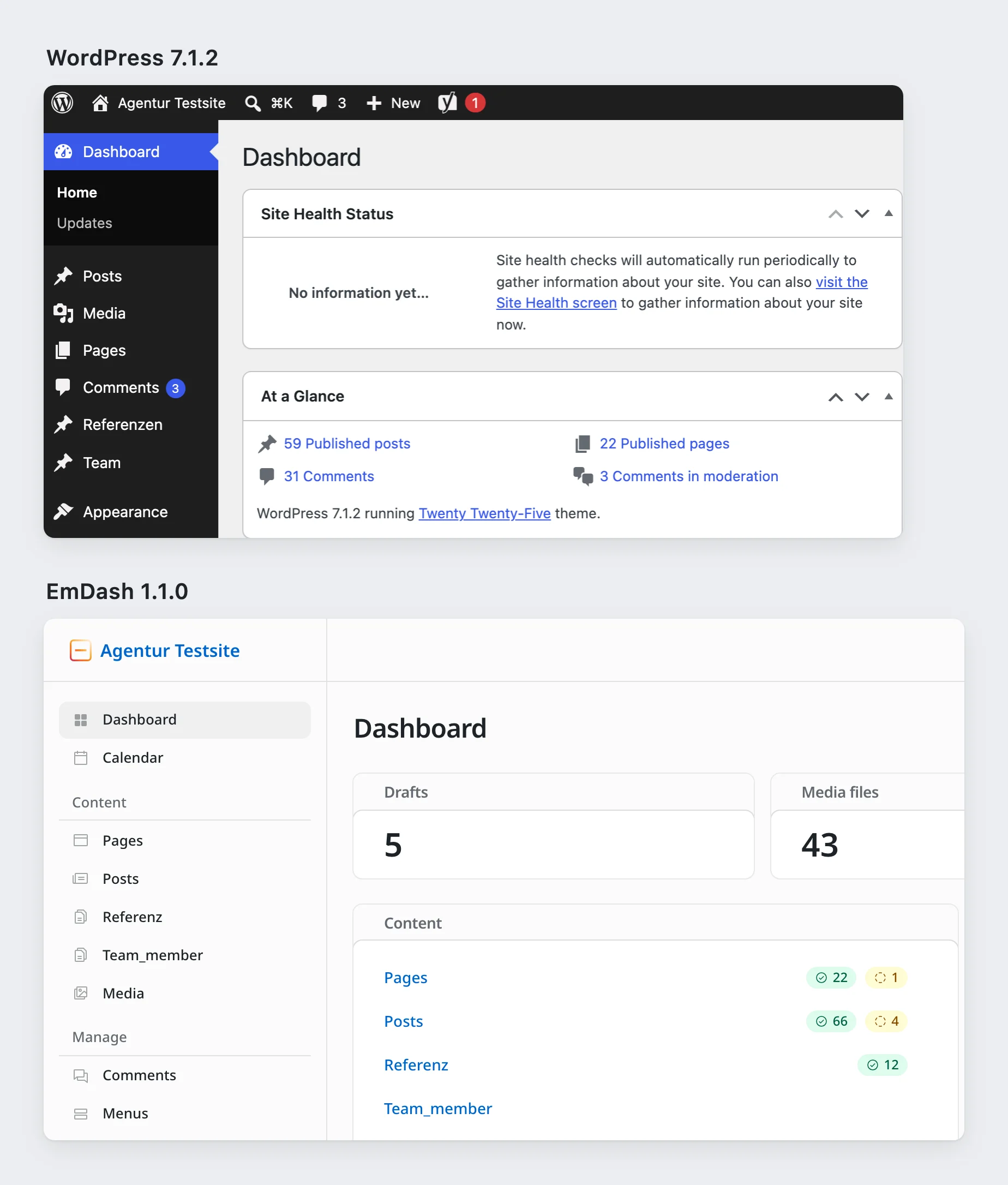
But let's start at the beginning. EmDash is an open-source CMS that runs directly inside an Astro website, so the admin, the content and the website are a single application. It's usually hosted on Cloudflare, but EmDash also runs on a regular Node.js server. The license is MIT, and the project is backed by Cloudflare.
The project page Why EmDash is refreshingly honest, by the way. It recommends EmDash for agency sites that are handed over to a client's editors and for WordPress projects whose frontend is being rebuilt anyway, but it also says clearly that the database, backups and updates are your job.
Which client projects fit?
Project | Does EmDash fit? | Why |
|---|---|---|
Company or marketing site, new build | well | Fields, menus, redirects, SEO and previews are built in. |
Magazine or blog, new build | well | Drafts, scheduling, revisions, comments and authors are included. |
Multilingual site | well, with a but | Multilingual content is built in, but the admin isn't in Italian and only half French. |
Headless WordPress with its own frontend | very well | The whole glue layer between CMS and frontend goes away. |
Site with a deep page tree | weak | EmDash has no child pages. |
Site built with Elementor, Divi and co. | poor | There's neither a page builder nor a converter. |
Shop | no | There's no counterpart to WooCommerce. |
Memberships, courses, bookings | poor | All of it would be custom development. |
Large editorial team with approvals | weak | There are no custom roles and no "pending review" status. |
Where EmDash has the edge
Headless without the glue
If you run WordPress headless, purely as a data source for a separate frontend, you know the whole layer in between: the API, webhooks, build triggers, caches and a second hosting setup for PHP. Each of those pieces can break, and it usually happens at night. With EmDash that layer disappears entirely, because the website queries its content directly and everything ships in a single deployment.
Content with a clear structure
Content in EmDash is cleanly structured, including the body text, which isn't stored as HTML. Clients can no longer paste in wild inline styling that wrecks your design, and developers get generated TypeScript types, so a missing field shows up in the editor and not on the live site.
Previews for clients and for every branch
Preview links work without a login and expire on their own after an hour, which is very handy for client sign-offs. On Cloudflare, every Git branch also gets its own preview URL. The Weekly Dash works exactly like that, and I wouldn't want to give it up in my day-to-day work.
Login without passwords
You sign in with passkeys, and Google, GitHub or Microsoft can be added if you want. That means there are no more admin passwords that someone could steal or reuse. A classic two-factor login with an app code is missing, though, so if your client asks for exactly that, clear it up before you send the quote.
Plugins with clear permissions
Plugins can run in a sandbox, where they only get the permissions they declared up front, such as "may send email". In WordPress, any plugin can basically do anything. Why that helps agencies less than it first sounds, I explain further down in the security section.
Built for AI agents
Every EmDash site comes with an interface for AI agents (MCP), through which an agent can create and edit content with the same permissions as a person in the admin. This article, by the way, got onto the site exactly that way. What an agent can build with it today is in Daniel's test of EmDash Build.
Affordable hosting
On Cloudflare, the paid plan costs 5 dollars a month per account, not per site, and for small and medium sites the included usage usually goes a long way. I couldn't find an independent speed comparison between EmDash and WordPress, though.
Where WordPress is better
No page trees
EmDash has no parent and child pages. Menus can be nested, pages can't, and even sorting content by hand only works through workarounds. For many company sites that's a real stumbling block, and the community has been asking for it for a long time (Discussion #3375).
No page builder
That's on purpose, because EmDash wants to manage structured content and not be a site builder. If you've sold your clients the freedom of Elementor, you won't be happy here.
ACF only in part
Simple fields are no problem, but repeaters and flexible content can only be rebuilt with limits, and conditional fields and options pages are missing entirely (field types).
Fixed roles and no approval workflow
There are five fixed roles, and you can't create your own (#2332). There's no "pending review" status either. A tip from the code: give your client's editors the Author or Editor role, because with the Contributor role they can't edit their own drafts later on.
The admin doesn't speak every language
For Swiss agencies, this is where a project can tip over. German is fully translated, French only about half and Italian not at all, and missing strings show up in English. So show the admin to an editorial team in French- or Italian-speaking Switzerland before you sell it.
Few plugins
WordPress has over 74,000 free plugins, while the EmDash registry had just 38 when I tested. You'll find something for forms, SEO, analytics and newsletters, nothing for shops, and every missing plugin turns into your own code.
No shops
There's no counterpart to WooCommerce. A few third-party projects exist, but I wouldn't trust any of them with a client's revenue today.
Search beyond English
The built-in search only understands English word stems. If search matters for a German- or French-speaking client, test it with real content or plan for an external search service from the start.
A young project
EmDash has grown enormously fast and released 60 versions in about half a year, up to version 1.1.0. Since 1.0, bigger breaking changes only come with major versions, but there's no long-term support release with security fixes for older versions. WordPress, on the other hand, has twenty years of experience, a huge ecosystem and countless agencies that have already solved every problem once.
The hands-on test: what makes it through the import
I didn't want to import a demo site that just happens to fit perfectly, so I built one the way I know them from agency work: WordPress 7.1.2 with Yoast SEO, ACF fields via Secure Custom Fields and the official theme test data, plus a custom post type for case studies, child pages, a contact form, menus, comments and scheduled posts. All in all that came to about a hundred entries and 37 images.
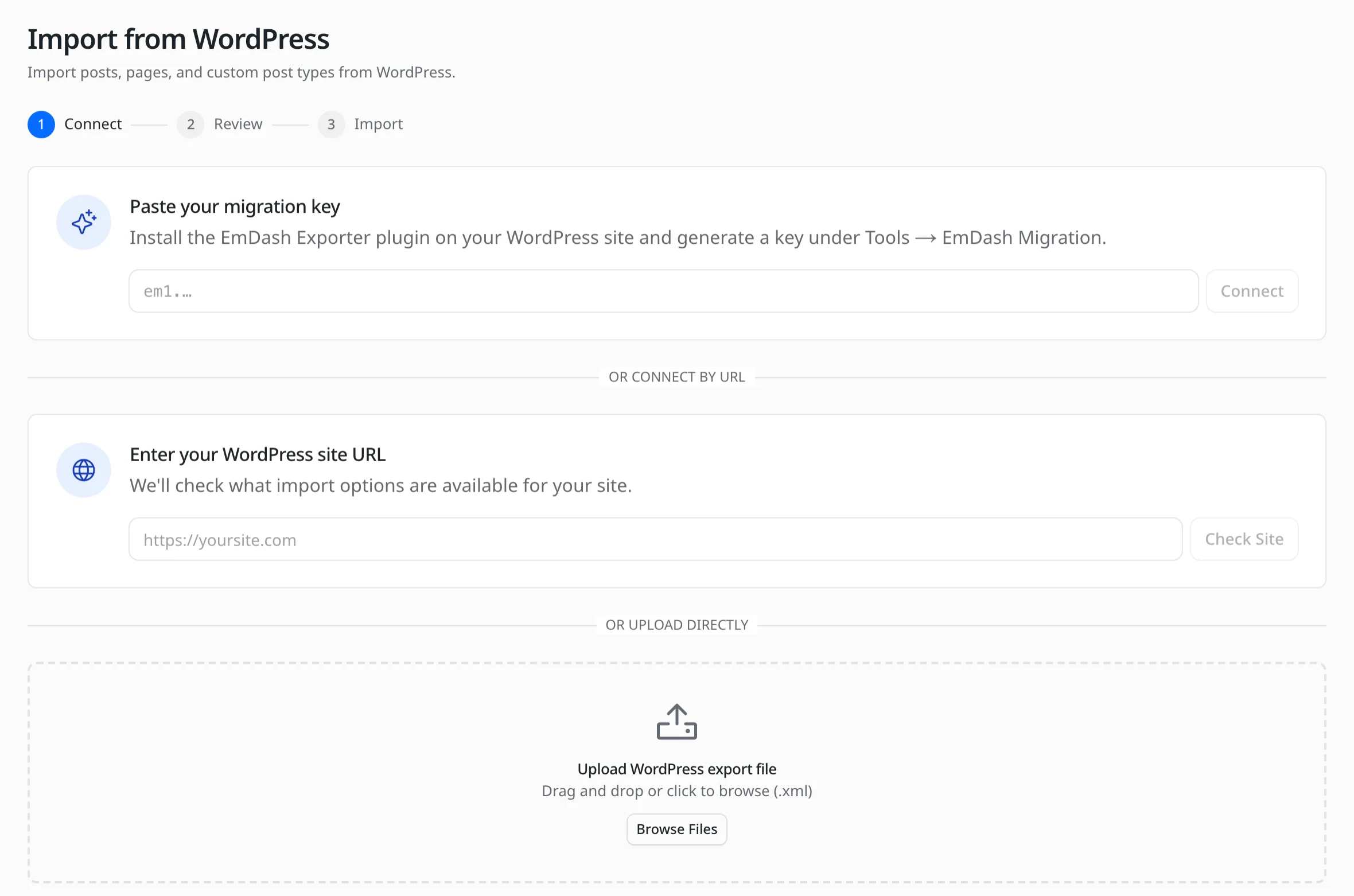
EmDash offers two ways to import. With the first, you upload the regular WordPress export file. With the second, you install an exporter plugin on the WordPress site, which also brings over ACF fields and SEO data. There was a small detour right at the start: because EmDash doesn't fetch images from local addresses (#3815), my test WordPress had to be reachable through a public tunnel.
Export file | Exporter plugin | |
|---|---|---|
Entries | 98 of 99 | 96 of 99 |
Images | all 37 | all 37 |
ACF fields | missing | there, but stored awkwardly |
SEO title and description | missing | there |
Menus and comments | missing | missing |
Child pages | flattened | flattened |
Scheduled posts | date lost | date lost |
Duration | about 25 seconds | about 20 seconds |
Twenty-five seconds sounds great at first, but after counting things up it looked different. The real work is in what doesn't arrive or only arrives halfway, and that often happens without any message:
- This is where I fell flat on my face myself: I imported into a site with demo content, and because there was already an "about" page, the import simply skipped my own "about" page. So always import into an empty site.
- A post type with a hyphen in its name (
team-member) didn't come through the plugin at all, and small but very visible bugs like that annoy me as a maintainer in particular. - Two posts with a lot of tags lost all their categories and tags during the import.
- Regular Gutenberg blocks came through well, but a button lost its link, a third-party block vanished entirely, and the contact form's shortcode ended up as plain text on the page, which your client might spot before you do.
- Links to PDFs and background images still pointed to the old WordPress server and would have broken as soon as you shut it down.
- You have to create redirects from old URLs yourself, because EmDash can't import lists of them yet (#2291).
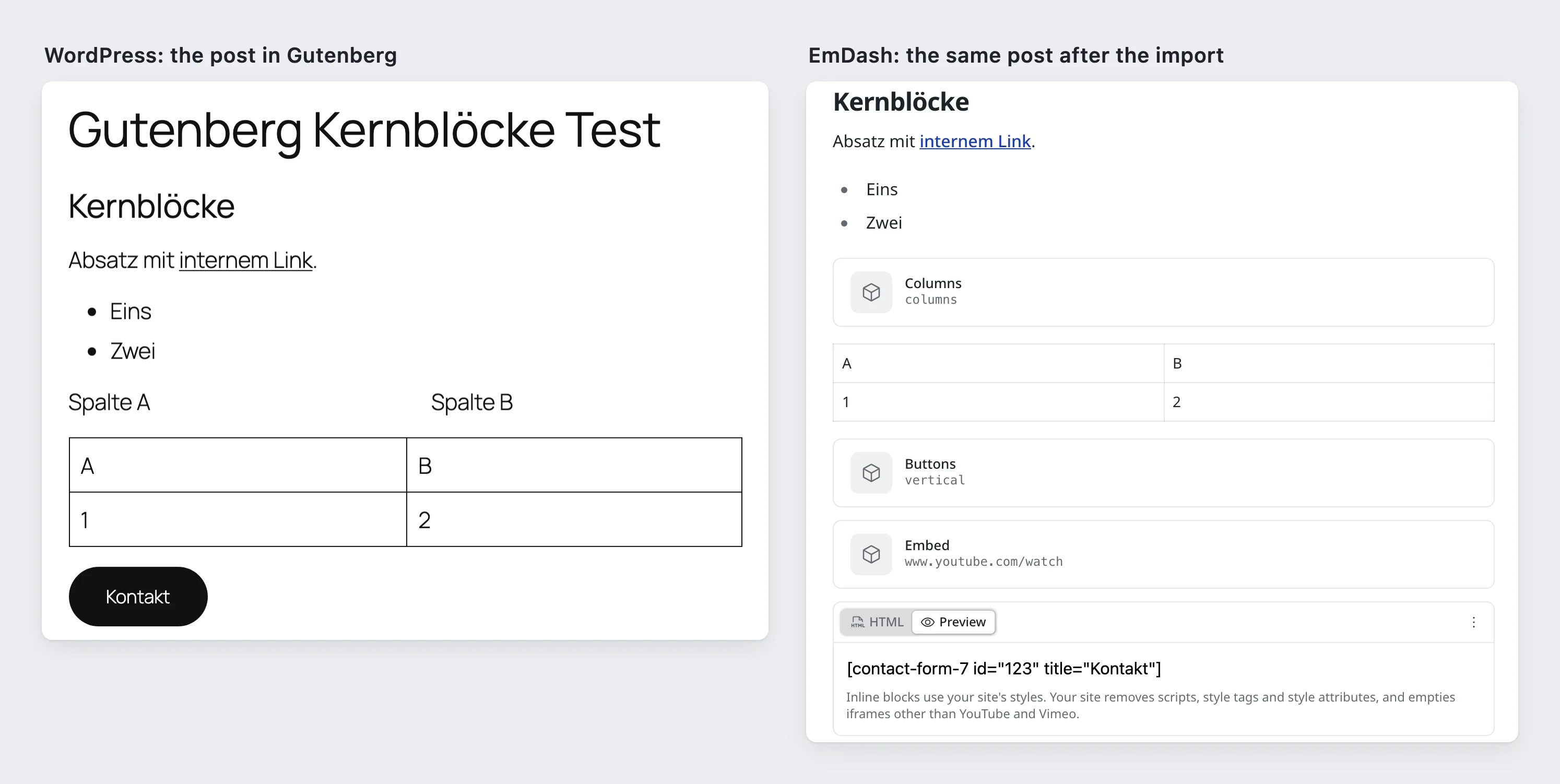
I fixed four of these bugs myself after the test, and the fixes are in EmDash 1.2.0: posts with a lot of tags keep their terms (#3889), buttons keep their link (#3893), links to PDFs and background images point to the imported files (#3896), and scheduled posts keep their date (#3895). The table above shows the state with 1.1.0. Other things are reported but still open, such as the missing page trees (#3819) and the missing fields in the file import (#3820). Until everything is fixed, plan a cleanup round after every import.
One more note on the exporter plugin: the docs ask for a migration key that the released version 1.0.0 doesn't know about, because it's only in a newer version that I wrote and that hasn't been released yet (PR #8). Honestly, that's quite embarrassing for me. It still works with version 1.0.0 if you enter the site's URL in the admin and choose to enter the credentials manually.
ACF fields: all there, but awkward
The plugin brings over every ACF value, just not in a usable form. A date becomes the number 20250115, an image becomes the old WordPress ID, and a repeater is split into lots of single fields (kennzahlen_0_label, kennzahlen_1_label and so on). So nothing gets lost, but the frontend can't work with that structure directly.
![At the top the ACF repeater field “Kennzahlen” (key figures) on a case study in WordPress with two rows, Besucher +40% and Ladezeit 0.8 s. Below it the same case study in EmDash with flexible content as JSON, the logo as the number 1687, related entries as [1, 163], the description as HTML and the repeater split into single fields such as “Kennzahlen 0 Label”.](/_image?href=https%3A%2F%2Ftheweeklydash.com%2F_emdash%2Fapi%2Fmedia%2Ffile%2F01M46PFH5BXQHNCTVYJ8PVYAW6.png&w=2030&h=2492&f=webp&fit=cover&position=center)
For simple fields that hardly matters. For repeaters, images and relationships, though, a dedicated import script pays off, one that puts the data into the right structure straight away and that you can run as often as you like. And rehearsing the move several times is worth it anyway.
Themes and plugins: always a rebuild
Your WordPress theme becomes an Astro project, and that's a rebuild, even if the porting guide and a bundled AI skill help along the way. A clean theme with Gutenberg content is ported in a few days, while a builder site gets rebuilt page by page.
You rewrite your own plugins in TypeScript, and if your agency has maintained its own plugins for years, that's probably the part that hurts most. The guide to porting plugins gives good advice, though: don't port anything EmDash can already do. Caching, sitemaps, SEO fields, redirects and search are built in, so part of your plugin folder simply goes away.
For the rest there are hooks like in WordPress, but far fewer, and sandboxed plugins have tight time limits on Cloudflare. Nobody has published yet how long porting a typical plugin takes. The only honest way to estimate it is to port one and count the hours.
What makes a migration cheap or expensive
Cheaper | More expensive |
|---|---|
Standard Gutenberg blocks | Page builders, shortcodes, third-party blocks |
Simple URLs by slug | Date-based URLs, |
Simple ACF fields | Repeaters, flexible content, options pages |
Few plugins | Custom plugins with admin pages or background jobs |
One language | WPML or Polylang |
Small editorial team | Approval workflows, custom roles |
Updates: the biggest difference from WordPress
For a portfolio, this is where it gets serious. So I updated three EmDash sites from version 1.0.1 to 1.1.0 and, for comparison, three older WordPress sites including their plugins.
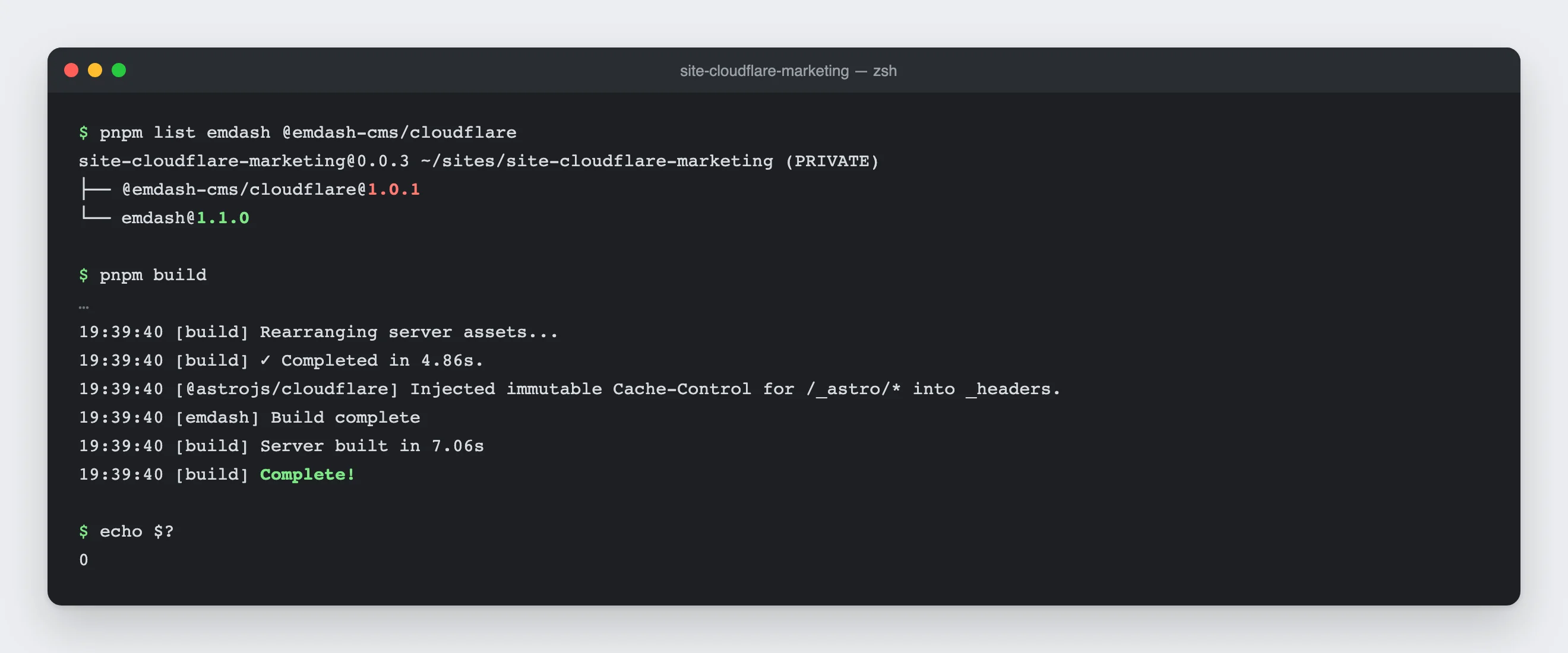
EmDash has no update button. The admin only shows a notice that a new version is available. You do the update itself in code by raising the package version, rebuilding the site and deploying it. On my test sites that took about ten seconds per site locally, plus the time for the build and deployment in your pipeline. The database adapted itself on the first request afterwards, and the content stayed intact. I show how that works step by step in how to update EmDash.
I found one mishap by accident: because of a typo in my command, only the main package was updated on one site while the Cloudflare package stayed on the old version, and the site still built without a single warning. So always update the EmDash packages together, and if you automate updates, group them.
WordPress, on the other hand, updates itself on new installs, even for major versions, and with tools like ManageWP or MainWP you keep hundreds of sites up to date from one dashboard. There's nothing comparable for EmDash yet.
The EmDash way still has one advantage: every update runs as a pull request with a preview and tests, so nothing changes on a client site without being documented. You'll hear "the form has been gone since Tuesday's update" less often.
For a portfolio, though, it also means that every release is one update per site. Because security fixes only ship for the latest version, you can't just leave old versions running. If your sites are built the same way and a bot prepares the updates, that's quite doable. If every site is one of a kind, it becomes a pain.
Hosting and costs
Every EmDash site on Cloudflare needs, among other things, a scheduled job, a so-called cron trigger, without which scheduled posts never go live. The free plan only allows five of them and is therefore enough for about five sites, which is why you need the paid plan from 5 dollars a month per account for agency work (limits).
Whether you run a separate account for each client or bundle several clients in one is up to you, technically both work. Nobody has published yet what a typical site actually costs per month, so it's worth measuring on your first own project.
Cloudflare backs up the database automatically, and you can roll back up to 30 days, but images need a backup of their own. And if you ever want to leave again: the code is open source and also runs without Cloudflare, though without some of the extras.
Security: what the sandbox can and can't do
The numbers for WordPress are clear. Patchstack counted over 11,000 new vulnerabilities in 2025, 91% of them in plugins, and the median time to the first attack is just five hours.
EmDash relies on the sandbox instead, where third-party plugins only get the permissions they declared up front, and that's real progress. For agencies there's a catch, though, because the plugins you write yourself usually don't run in the sandbox. Anything that shows something in the editor or on the website needs full permissions, so the same rule applies to your own code as in WordPress: you have to review it properly yourself.
Still, quite a bit goes away, namely the PHP runtime, the admin passwords and the many plugins from all kinds of sources. On sites with few plugins, the largest group of typical WordPress incidents disappears with them. For sites with a lot of custom development, the gain is much smaller.
What the critics say
Matt Mullenweg, the founder of WordPress, praised EmDash as "very solid", but also wrote that the sandbox falls apart as soon as you look at what most WordPress plugins do (blog post). For agencies, he has a point.
Search Engine Journal criticized EmDash for being built for developers, with its best features tied to Cloudflare (article). That's true as well, but it weighs less for agencies, because your team sets up the tech and the client only sees the admin.
WP Umbrella advised agencies to re-evaluate EmDash 12 to 18 months after version 1.0 (article). For moving a whole portfolio, I think that's sensible advice, and my test backs it up. For one or two new builds, though, waiting also means you'll lack the experience later.
Pilot plan: how to get started
- Sort your portfolio first. Go through your sites in an afternoon. A shop, a page builder, a membership area or an Italian-speaking editorial team means the site stays on WordPress for now. Page trees, complex ACF fields and custom plugins make a move more expensive, while a redesign that's planned anyway makes it cheaper.
- Then build one new site on EmDash. Pick a new project with a client team that gives you honest feedback, and set up updates and backups before the launch, not after.
- Move one simple site as a test. Import into an empty EmDash site and compare old and new page by page. If it takes more than twice as long as estimated, stop and write down where the time went.
- Decide with numbers. After three months you know the hours per project, the effort per update and your clients' feedback. Put that next to what WordPress maintenance costs you today, and only then decide.
What I'm missing personally
As a maintainer, I get to make a few wishes of my own here. Some of it is complaining at a high level, but the first two points aren't:
- Page trees, because so many client sites depend on them that without them they stay on WordPress.
- A real approval workflow with notifications.
- An Italian and a fully French admin, which is not a detail in Switzerland.
- A tool that rolls out updates across many sites at once.
- An import that speaks up when something goes wrong, and that one goes to my own address too.
Pros and cons at a glance
Pros of EmDash:
- Admin, content and website in one project
- Clean content structure and a preview for every branch
- Login with passkeys instead of passwords
- Updates via pull request instead of surprises
- Affordable hosting
Cons of EmDash:
- No page trees and no custom roles
- Few plugins and no shop
- The import always needs a cleanup round
- Every update has to be rolled out site by site
- No Italian admin
Conclusion
EmDash is an interesting second platform for agencies that already work with modern web tooling and Git and build content sites for clients who don't need a page builder. You get clean content, secure logins, good previews and affordable hosting, but in return you build yourself what WordPress offers as a plugin, and you roll out every update yourself.
Shops, membership areas, builder sites and clients who want to install plugins themselves are better off with WordPress, and for now the same goes for anything that needs page trees, approval workflows or an Italian admin.
All in all, there's no big move ahead for a WordPress portfolio. The more interesting question is whether individual new content sites would be better off on EmDash, and a three-month pilot answers that better than any guide.
What about you? Do you already use EmDash for a client, or are you deliberately sticking with WordPress? Tell me in the comments. And if something breaks while you're testing, report it in the EmDash repository. I read along there.
When a new EmDash release closes one of the gaps mentioned, I'll update the section and note it at the end of the article.
Changes to this article
- : Added which four bugs from the test import are fixed in 1.2.0.

Comments
No comments yet
First-time comments appear once we've approved them. How we handle your details