Your EmDash site is up and running, set up as in Kevin's getting-started article, and now you're opening the admin at /_emdash/admin. What do you actually do in here day to day, and where can you paint yourself into a corner?
The first question has a short answer. Creating content, adding images, looking after authors and categories: you'll pick that up in an afternoon. The second is more interesting. A few content-model decisions stick, and I'll flag them as we go so you can make them before your first post.
The official documentation explains every feature, and I won't retell it. What I add is an editor's view and the places where we got stuck building theweeklydash.com, a site in German and English. I checked everything against EmDash 1.1.0, and the screenshots come from a local copy of this site.
Collections, fields and entries
Three terms carry the whole model. A collection is a kind of content, such as Posts or Pages. A field is one piece of information on it, like the title or the featured image. And an entry is one saved item. You manage collections under Content Types.
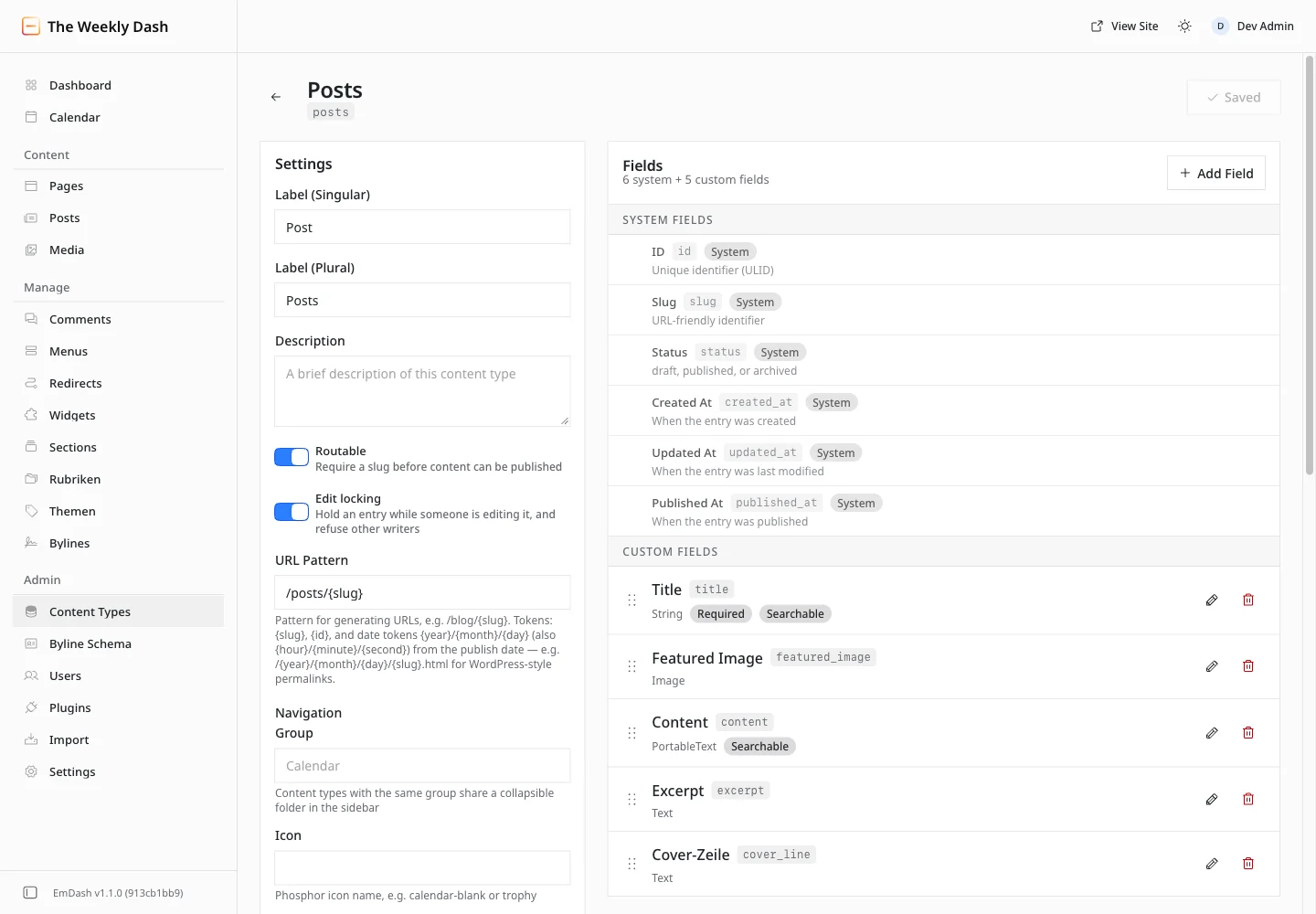
The admin follows the browser's language and ships in German, among others. What it doesn't translate are your own labels. Collection and field labels are data, not interface text, and each has exactly one label whatever language the admin is in. Our seed kept the template's English labels, so the German admin shows "Posts" and "Title", while the English admin shows "Cover-Zeile" for the one field we named in German. If your editors work in another language than you do, decide early which one the labels use.
The schema lives in the database
Labels can change whenever you like. For the rest of the model, it helps to know where it lives. If you remember one thing from this article, make it this section's heading. EmDash stores collections, fields and taxonomies in the same database as the content. seed/seed.json only describes the starting point. It's applied once, to an empty database, before the setup wizard has run. Change seed.json afterwards and deploy, and the live site stays exactly as it was. The schema evolution guide says the same.
So a new field on the live site goes in through Content Types and Add Field. We stick to a fixed order:
- When something's added, we create the field in the admin first and then merge the code that reads it. Code reading a field that doesn't exist yet just gets nothing back.
- When something's removed, we merge the code that no longer uses the field first, then delete the field.
The same pull request updates seed.json. Otherwise every new database, a local one or a preview environment, starts with the old model.
Now for the decisions that stick. Once a field exists, three things are fixed.
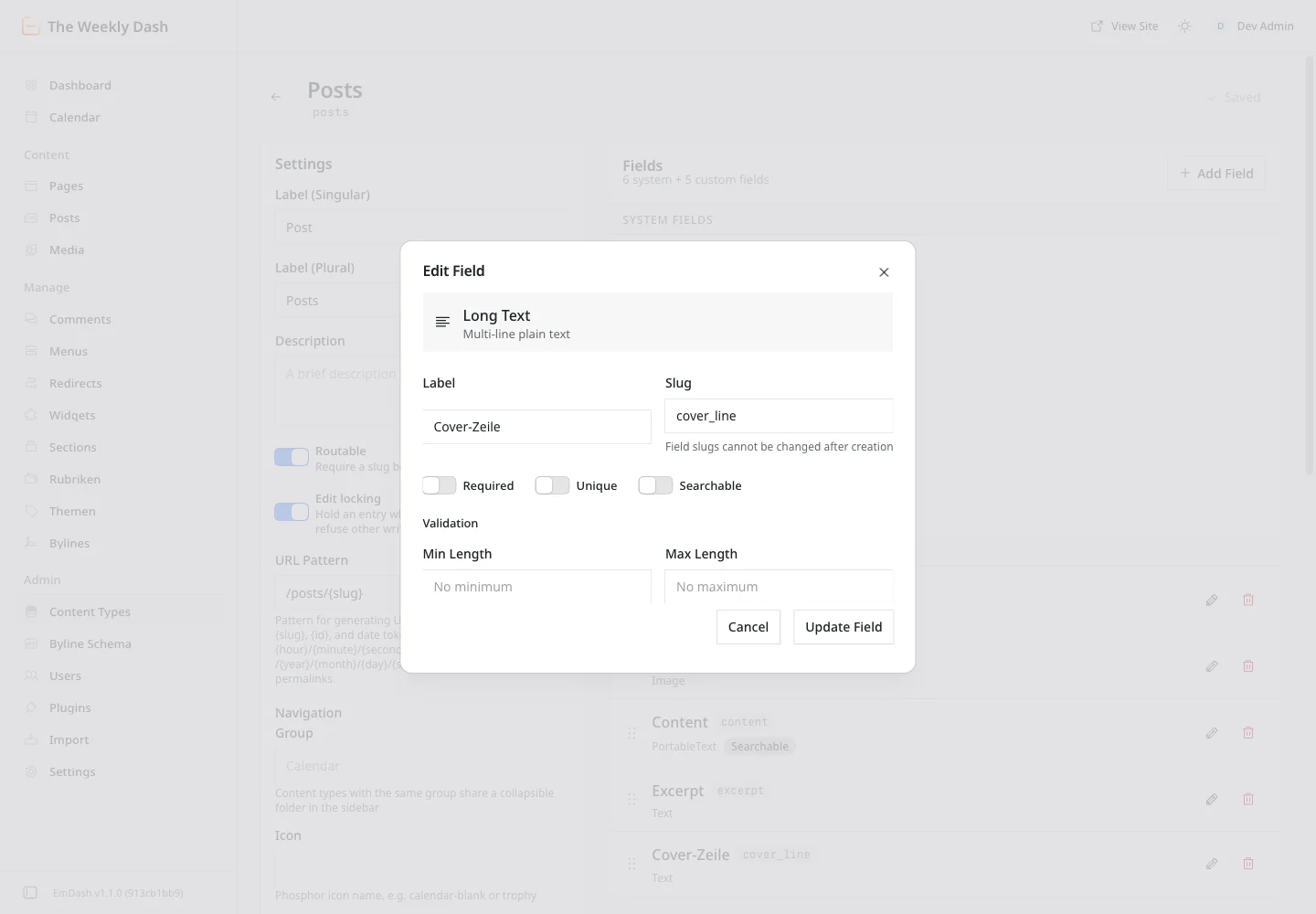
- The slug. The Edit Field dialog locks it. Templates query the slug, not the label, and the label can change whenever you like.
- The type. The admin offers no type change. Through the API you can only switch between short text, long text and slug; anything else is a data migration.
- Deleting. A deleted field takes its column and every value with it. That's not the same as an entry in the Trash.
Our cover_line field is a good example. It's long text, because the cover shows up to three lines. Had we created it as single-line short text, we'd have had to delete it and start over.
There's one gap in 1.1.0. You can't set in the admin whether a field is translatable, because the dialog has no switch for it. The default is translatable, so each language gets its own value. A field that should be the same in every language, like a SKU, needs translatable: false in the seed or through the API. Changing that later is, per the docs, a migration again.
From draft to published post
So much for the model. The everyday work in the editor is a lot more relaxed.
When you create a new entry, the right-hand column only shows "URL & language" at first. EmDash creates the entry as a draft on the first Save, and only then do Publish, Ownership, Bylines, Translations, Taxonomies, SEO and Revisions show up. If you're hunting for the category picker and can't find it, just save once.
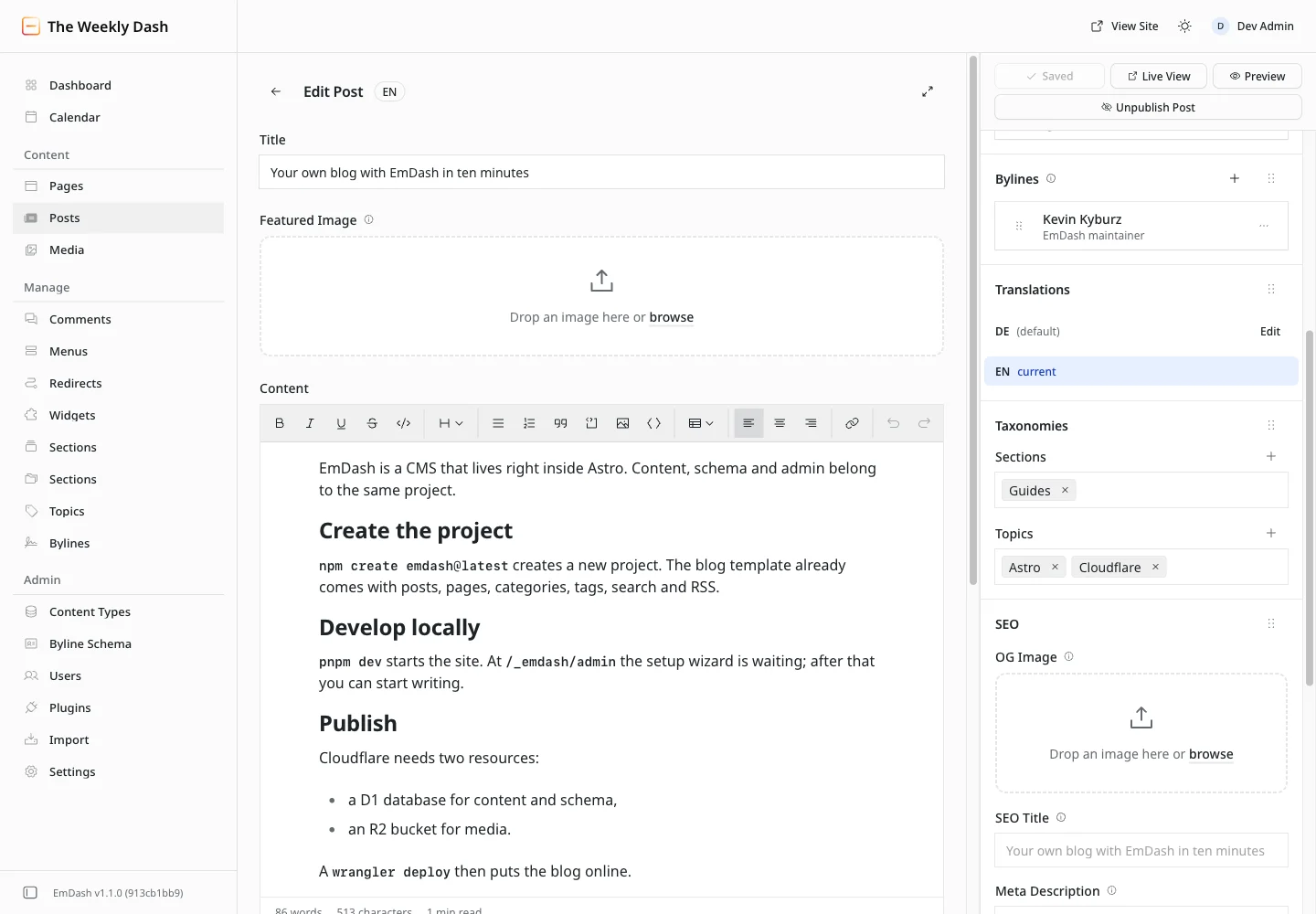
From then on the editor saves by itself two seconds after you stop typing, and the button goes from "Saving..." to "Saved". Clicking Save yourself adds a checkpoint to Revisions. Restore brings an older revision back by creating a new one, so the history stays intact and there's little you can break here.
Saved doesn't mean public, though. Publish now is what makes a draft live. On a published entry every change goes into a draft first, and readers keep seeing the old version until you choose Publish changes. Preview shows you the draft, Live View the public version. That goes for the slug too, since the URL only changes when you publish.
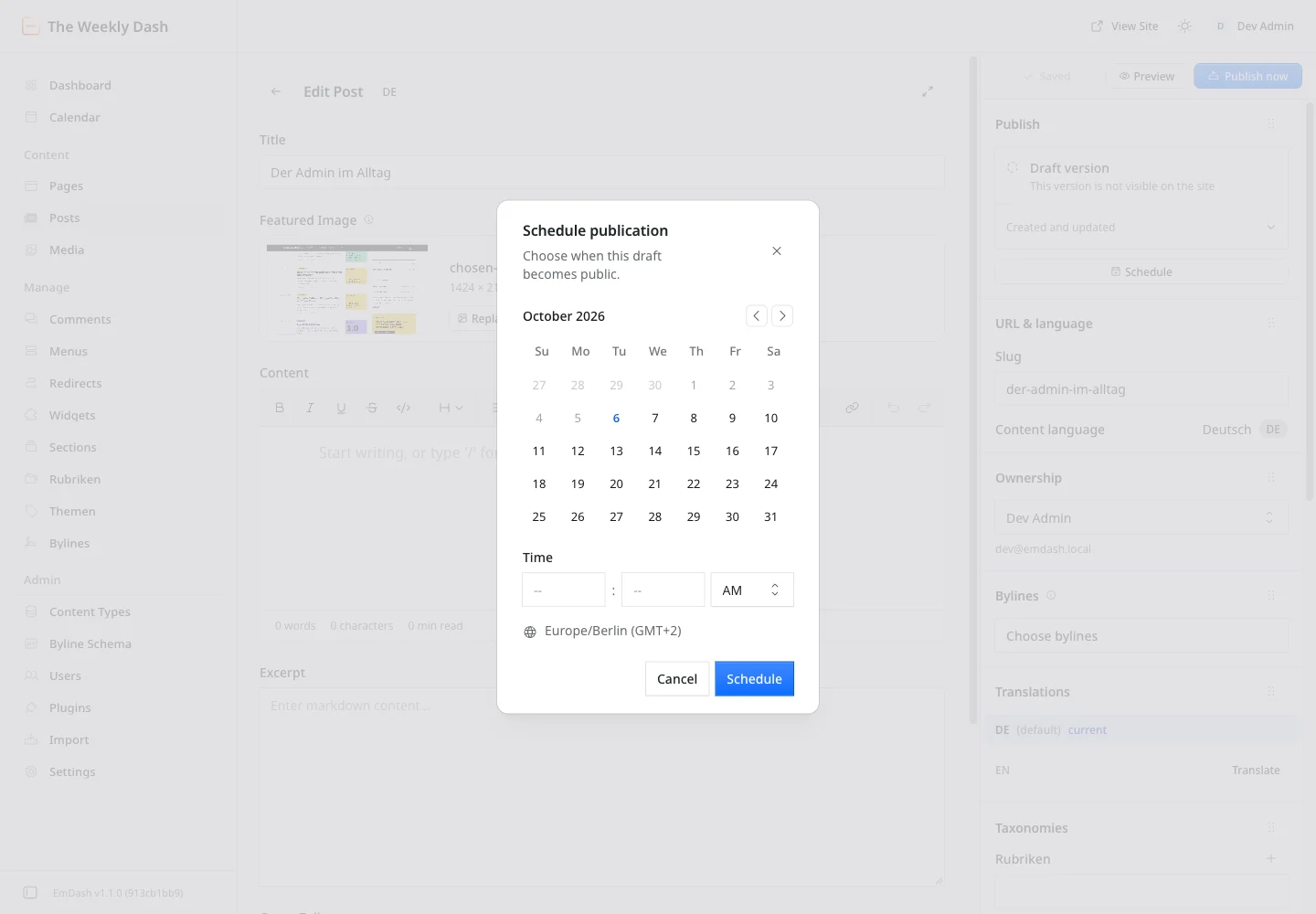
Schedule opens a calendar with a time and tells you the time zone, Europe/Berlin in our case. On Cloudflare a cron trigger publishes scheduled posts. Ours runs every five minutes (*/5 * * * *), so a post scheduled for 9:00 is out by 9:05. The Calendar in the sidebar shows what goes out when.
When two people open the same entry, EmDash locks it for the second one, who can then Open read-only or Take over. The lock is per language, so someone else can work on the German version at the same time.
One rule we set ourselves: content changes go through the admin, never SQL against the live database. SQL skips the revisions and, with edge caching on, the cache purge, so the stale page stays in the cache.
Images are objects, not URLs
So with text, EmDash forgives a lot. Images come with two actions there's no way back from.
The Media Library takes uploads of up to 50 MB per file through Upload Files. SVG is refused by default, since SVG files can carry scripts. Formats, folders and cropping are covered in the Media Library guide.
An image field doesn't store a URL but an object with the media ID, dimensions, alt text and storage details. For developers that means never treating post.data.featured_image as a string. Render it with <Image image={...} /> from emdash/ui and check image?.id first.
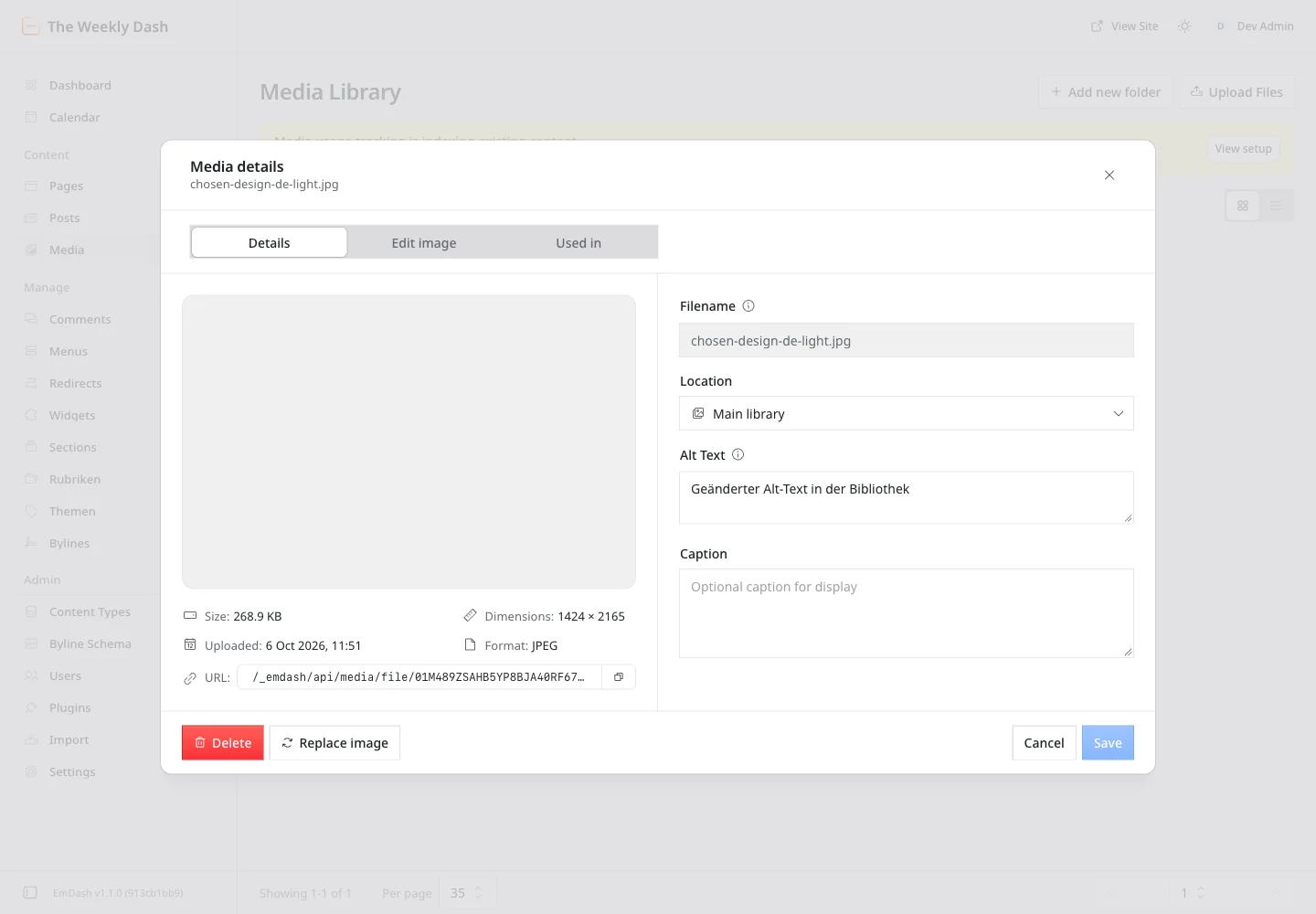
For editors the object has a consequence I reproduced locally. EmDash copies the alt text into the entry when you pick the image. Edit it in the Media Library afterwards and the post keeps the old text, and an image field has no alt text input of its own. So write the alt text before you use the image, and if you fix it later, just pick the image again in the post.
Three controls around an image sound alike and do different things. Replace picks a different image for this one post. Edit asset opens the original in the library, where anything you change can affect every post using it. Replace image in the library swaps the file behind the media ID everywhere, and that can't be undone.
The second one-way action is deleting, so check Used in first. There's no Trash, and EmDash doesn't fix references, so a post using the file shows a broken image afterwards. The list is only as good as Media usage tracking under Settings. In 1.1.0 it's on by default: our fresh local database and the live site both report it as ready, so the docs' step of enabling it once didn't apply to us. And it only knows image and file fields, images and galleries in rich text, and the logo, favicon and default social image from the site settings, not custom blocks.
Translations: one entry per language
Everything so far works with a single language. Before the second one comes in, here's the basic idea.
Each translation is an entry of its own with its own slug, status and revisions, joined by a translation group. The German post can be live while the English one is still a draft. The Posts list shows one language at a time; you switch with the language selector next to the heading.
Translate in the Translations panel creates the English version straight away as a draft and copies every field. In 1.1.0 that includes the German slug, so the English URL reads /en/emdash-admin-alltag until you change it. Do that before you publish.
Menus work the same way. Our main navigation exists in German and English, each with its own links, and you add a translation under Menus. We also have the two widget areas, sidebar and footer, but both are empty.
Bylines and categories follow the same pattern, and that's where two languages get fiddly.
Bylines aren't users
Whoever created an entry is under Ownership. Whoever is credited as its author is under Bylines. A byline is a public profile with a name, slug, bio, avatar and website. It can be linked to a user account, but doesn't have to be; guest authors need no account.
Link your own byline to your account through the "Linked user" setting. Without the link, a new post has no byline until you add one. With it, EmDash falls back to the owner's byline when none is chosen.
Two languages make this tricky. Bylines exist per language, joined by a shared translation group, and an account can have exactly one byline per language. EmDash 1.1.0 looks a byline up strictly in the entry's language, with no fallback to the default one. If your profile has no English version, your English post goes out without an author. So add it under Translations in the byline dialog. A seed file can't create byline translations, which is why our repository has pnpm run demo:bylines to write the English profiles into the local database.
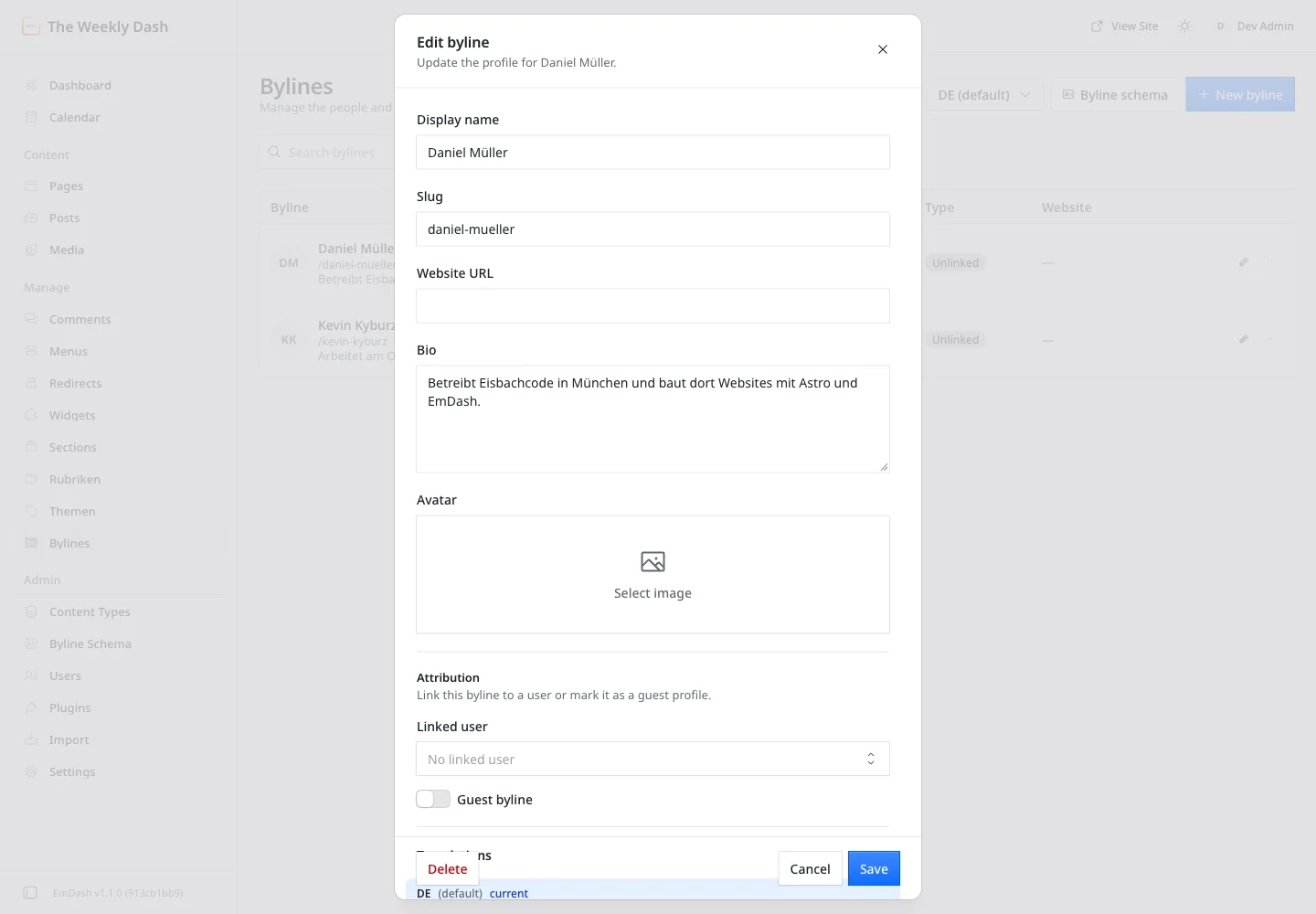
The profile links under our articles, Bluesky and GitHub for example, are custom fields under Byline Schema. We made them non-translatable so one link works in both languages. A seed can't create these fields either.
And one trap if you script your bylines. PUT /_emdash/api/admin/bylines/:id replaces the whole profile. Leave out the bio, avatar, website or linked user and EmDash clears them. I reproduced this locally with a PUT carrying just the name and slug, and the bio was gone. Custom fields, on the other hand, stay as they are when omitted. Always read first, then write the complete profile.
Categories and tags
With categories, the real trap isn't the language but the slug.
EmDash ships two taxonomies, the hierarchical category and the flat tag. We use both and only changed the labels. Categories are our Sections (Getting started, Guides, Background, Changelog), tags are Topics (Astro, Cloudflare, Performance, Plugins, WordPress). The admin lists them under those labels right in the sidebar.
The name category is in the code and stays. Labels can change any time. Slugs are a different story. Each section has a colour and a mark: mint and » for Getting started, yellow and an em dash for Guides, pink and ¶ for Background, violet and the version number for Changelog. Neither is a property of the term in EmDash. Both are keyed in our code to the German slug, with English slugs like guides mapped to the German ones. The main navigation also links /en/section/guides as a fixed URL. Rename a section's slug in the admin and you lose the colour, the menu link and the old URLs in one go.
We saw how much hangs off a section just before launch, when Plugins went from a section to a topic. That took a pull request with redirects from /en/section/plugins to /en/topic/plugins (and the German equivalents), new menu entries in both languages and a new assignment for every affected post. So we settle section slugs once and leave them alone after that.
Terms exist per language, linked like posts. Assignments, though, are shared by every version of a post. Put the German post in "Anleitungen" and the English version shows "Guides" on its own, so you translate each term once rather than each post.
On the taxonomy page itself, the heading and the button for adding a term keep the German label "Rubrik" in 1.1.0, even in the English admin with EN selected, while the sidebar shows "Sections".
For topics, I'd keep a few you actually reuse. A topic page with fewer than two posts gets noindex on our site and stays out of the sitemap, so twenty topics with one post each make twenty thin pages. For stragglers, the taxonomy page has Add to posts, where you paste up to 50 post URLs and add the term to all of them at once. Deleting a term removes it from every post, but the posts themselves stay.
We only noticed a naming clash in the English admin. Our categories are labelled "Sections" there, but EmDash already has a menu entry of its own called Sections, for reusable content blocks. So the English sidebar now lists "Sections" twice, as the editor screenshot above shows. Check new labels in both languages before you settle on them.
Conclusion
Back to the two questions from the start. An editor learns the everyday admin in an afternoon, because save, preview, schedule and translate behave the way you'd expect. The real work comes before that. Name everything in your editors' language, pick field slugs and types that fit the content, and settle on category slugs you'll never have to touch again. With two languages, every byline also needs its translation, or the author goes missing. And when you change the schema on a live site, you do it in the admin, not in the seed.

Comments
No comments yet
First-time comments appear once we've approved them. How we handle your details