Alongside EmDash 1.0 on 28 September, the project announced EmDash Build, an AI site builder. You describe what you need, and it builds an EmDash site from that, with a schema, content, Astro pages and the admin.
What I really wanted to know is whether you end up with a site an editor can look after, or a pretty shell nobody can touch without a developer. So for the test, EmDash Build got a typical brief from a small German business, a joinery in Upper Bavaria, and the test followed the build from the first question all the way to the exported code. Twice, with the same brief. That turned out to be worth it, because the two runs produced two fairly different sites.
A few things up front, so you can place this. I'm an EmDash maintainer, but I didn't work on EmDash Build. This is my own take, not a statement from the project. The two test runs took place on 6 and 7 October 2026, each in a fresh guest session. All screenshots are from the second run.
What EmDash Build is meant to be
It isn't a product you sign up for. The README calls it an alpha reference application for hosting providers, website builders and platforms, something a provider runs themselves and wires up to their own login, quotas and billing. The code is MIT-licensed on GitHub.
Running it takes several Cloudflare products: Workers, Durable Objects, Containers/Sandbox, Workers AI, AI Gateway, Artifacts and Workers for Platforms, plus a zone with wildcard hostnames for previews and sites. For the prerelease, the self-hosting guide recommends a separate, isolated Cloudflare account, or at least clearly separated resources.
Self-hosted, EmDash Build currently publishes a read-only static snapshot through Workers for Platforms. The Cloudflare blog already describes the goal, with content moving into a production EmDash site when you publish. It isn't there yet, though. The EmDash blog says that transfer is still in development, and the repository's threat model explicitly lists it as unavailable until EmDash core ships the interfaces it needs.
The public demo at build.emdashcms.com shows the flow but doesn't publish anything; the config says ENABLE_PUBLIC_PUBLISHING: "false". The EmDash blog also asks you not to enter sensitive information, since source and content are stored for recovery. For my question that's fine, because you can build and edit in the admin there.
One paragraph of brief, a few questions back
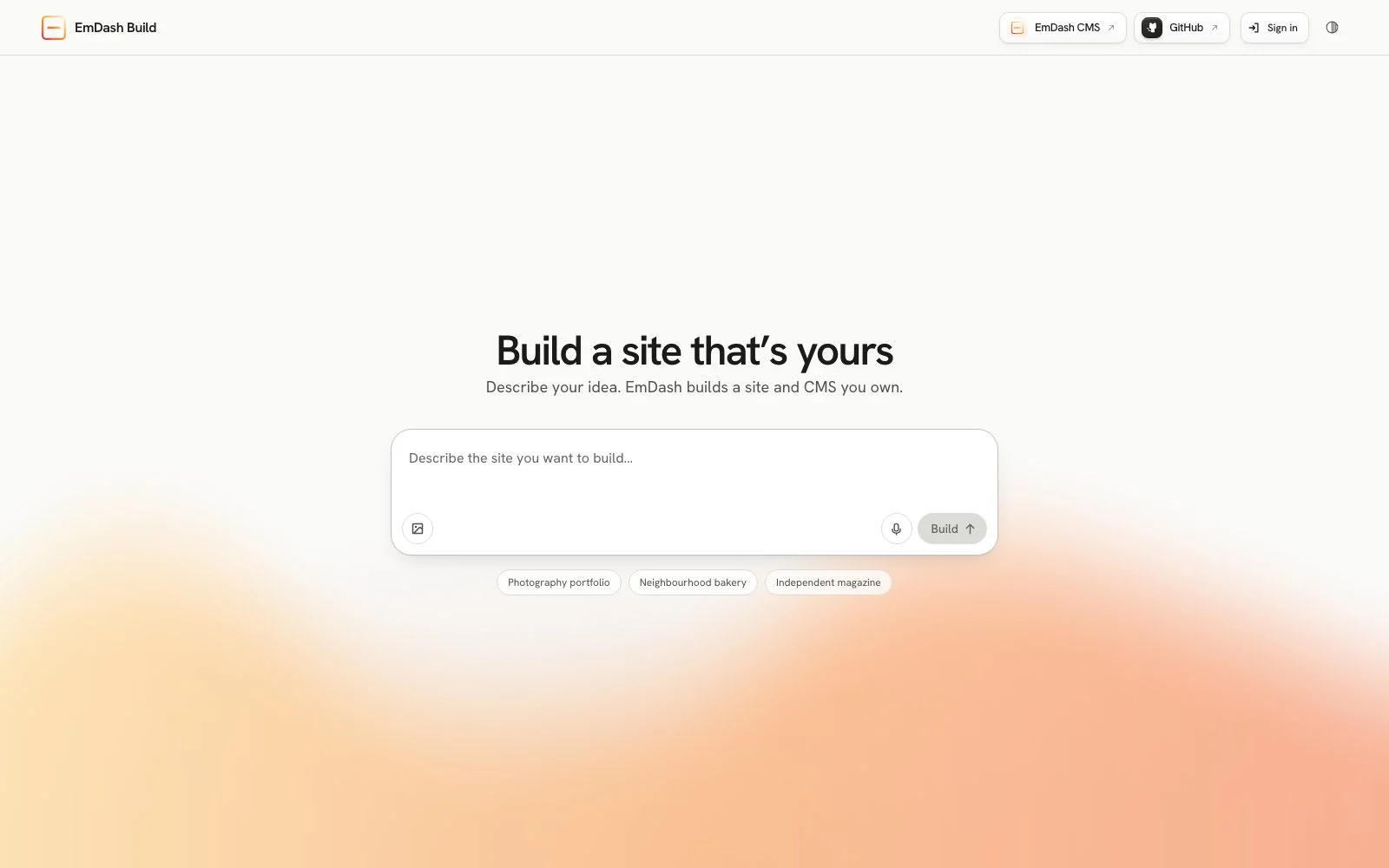
The brief went into the demo unchanged, in German. In English it reads:
Website for a joinery in Upper Bavaria, 12 employees, bespoke furniture and interior fit-out for private clients and hotels. Pages: services, references with photos, team, careers, contact. Tone: down-to-earth, high-end.
No sign-in needed. Guest projects hang off a cookie, and the code allows up to ten per guest.
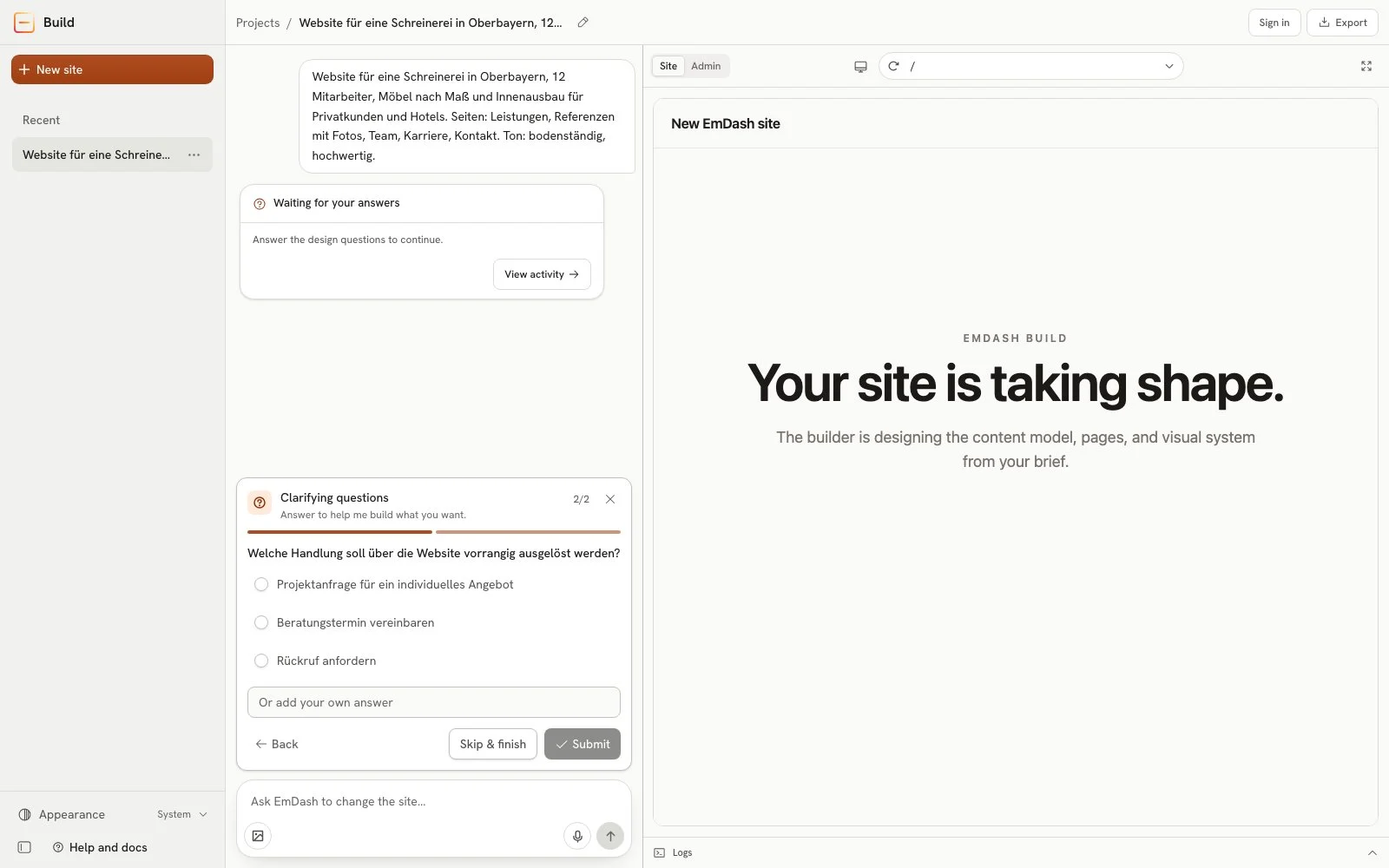
Before EmDash Build gets going, it asks a few questions, in German like the brief. How many, and which ones, is down to chance, though. In the first run, three came back after about 20 seconds: the exact company name (free text), the main thing the site should get visitors to do (four options, from "enquire about a custom project" to "apply for a job"), and a visual direction (three options; the pick was "warm and material-led"). The second run asked only two. After the name came the question about the site's main goal again, this time with three options and no job applications, and there was no design question at all. The agent picked the direction itself, and it was a pretty good fit: "warm and close to the material".
Both times it asked about exactly the gaps in the brief, and none of the questions was filler. Each time the answers were the same: a made-up name, "Schreinerei Testholz", and the custom project enquiry as the goal. Meanwhile the blank project's preview was already spinning up in the background.
Nine minutes, with a few detours
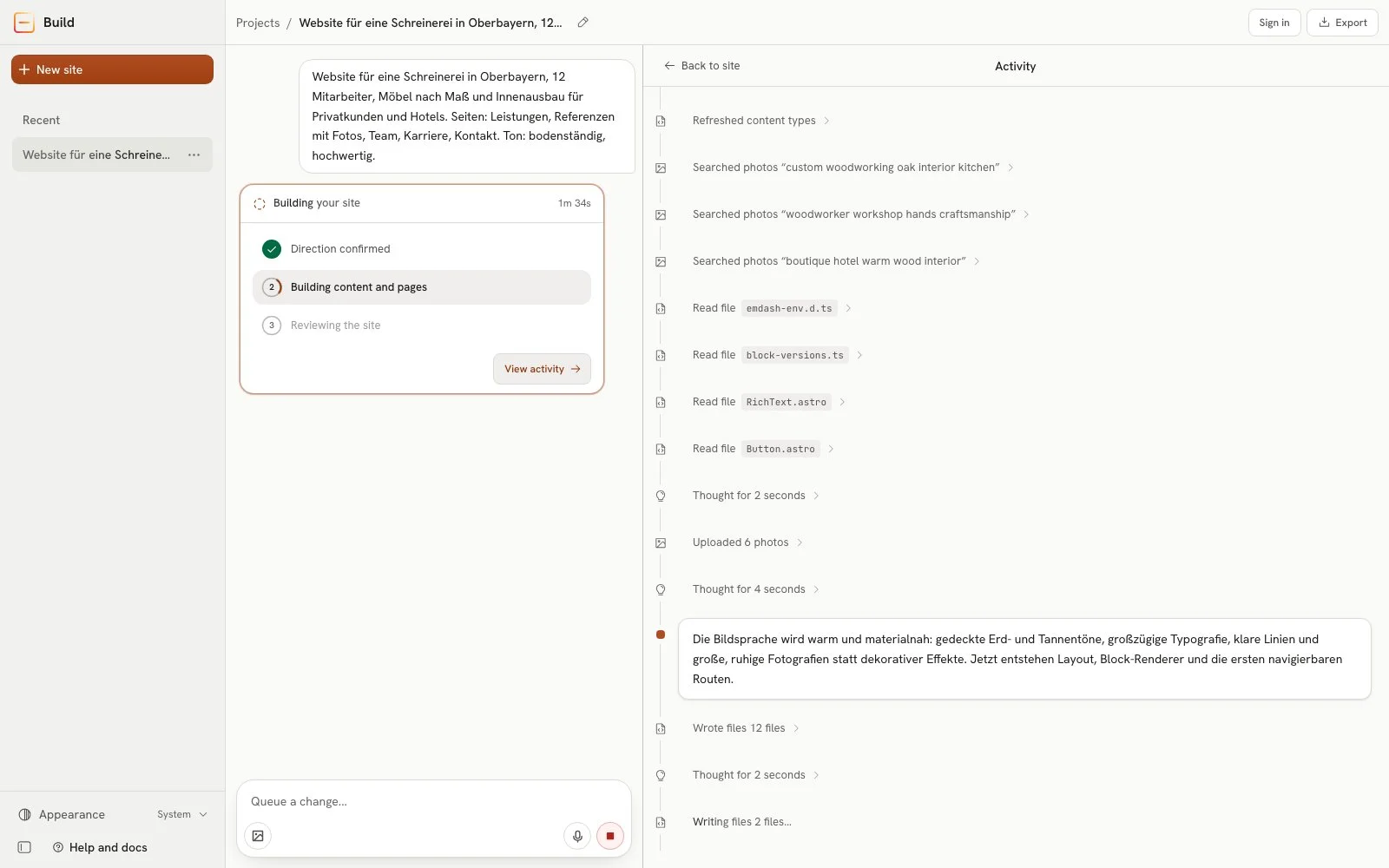
At the end the UI said "Built in 9m 23s" for the first run and "Built in 8m 52s" for the second, counted from when the answers went in. The activity log shows every step: content model, settings and menus, Unsplash search, writing files, creating content, checking.
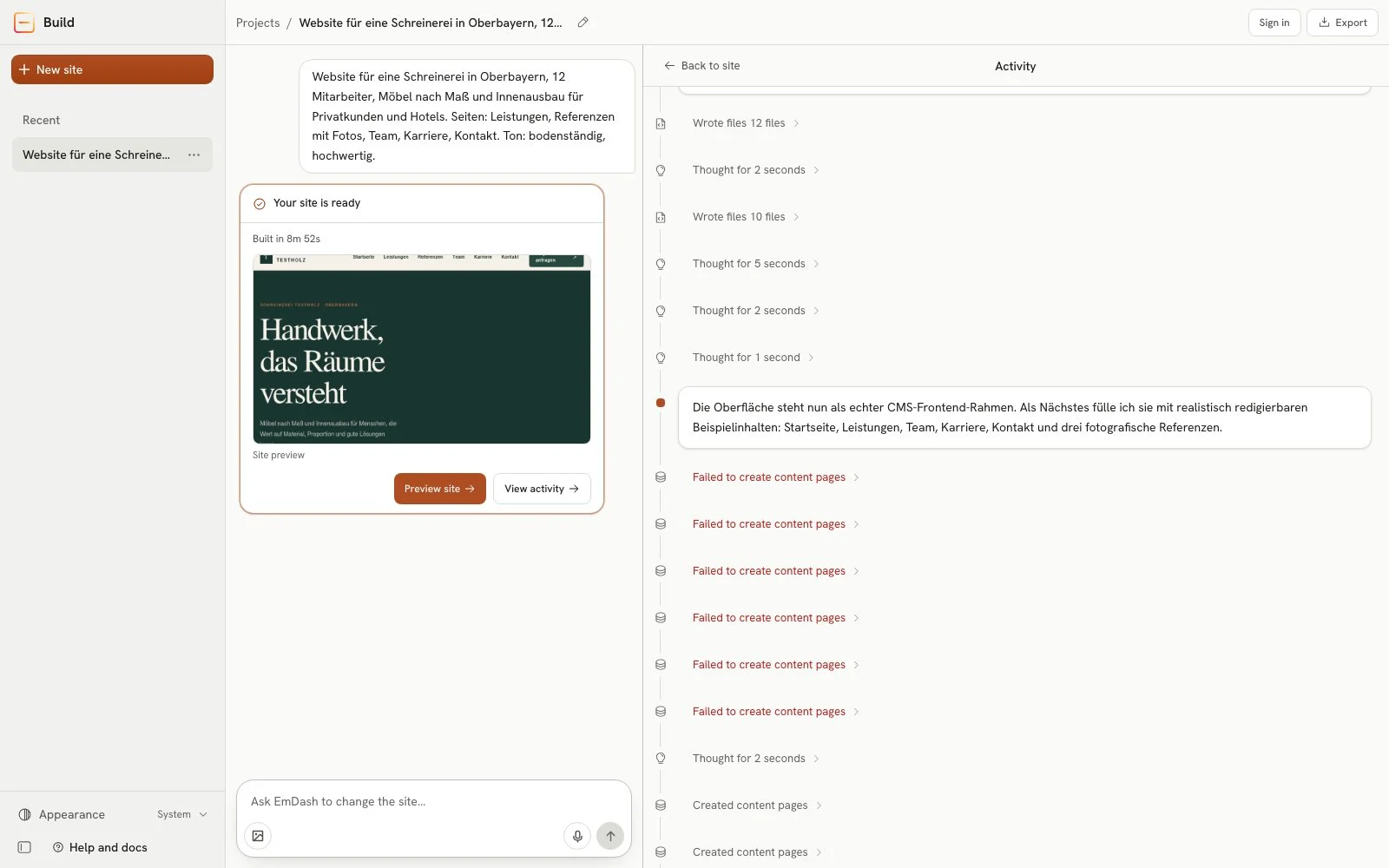
It was never smooth, but it stumbled somewhere different each time. In the first run, creating pages failed several times, the preview dropped once, and a toast said "Session changes could not be saved". Almost amusing: the agent spent a long time running grep through node_modules to work out how menus work. In the second run the preview held up, but "Failed to create content pages" came up six times in a row. According to the technical details, a link field in one of the blocks rejected relative paths like /leistungen as invalid URLs. On top of that came a few failed block type updates and about ten HTTP 500 errors in the console. In both runs, the agent picked itself back up every time.
The code shows what's going on underneath. Every project gets its own Cloudflare Sandbox container holding a prepared, deliberately blank Astro, Tailwind and EmDash project. There's no designed template. A Durable Object called BuilderAgent, built on the Agents SDK, runs the conversation and the loop between model and tools.
The model creates the schema and content through EmDash's MCP server and writes the Astro pages as files into the container. The MCP tools are limited to a fixed allowlist, such as content_create, menu_set_items and settings_update. Before it calls itself done, the agent runs validate_site (typecheck, every public route, no React in the public frontend) and checks the preview itself with view_preview. Each stable state is committed to Cloudflare Artifacts as Git history, and if the container goes to sleep, the project is restored from there.
According to the code, the model doing the building is openai/gpt-5.6-luna with high reasoning effort, routed through Cloudflare AI Gateway. Smaller jobs go to Workers AI, with Llama 3.3 70B suggesting next steps and Whisper handling dictation. Whether the demo runs exactly this version of the code isn't visible from outside, though.
So after about nine minutes, both times, there was a site in the preview. Time for a closer look.
What was in the preview
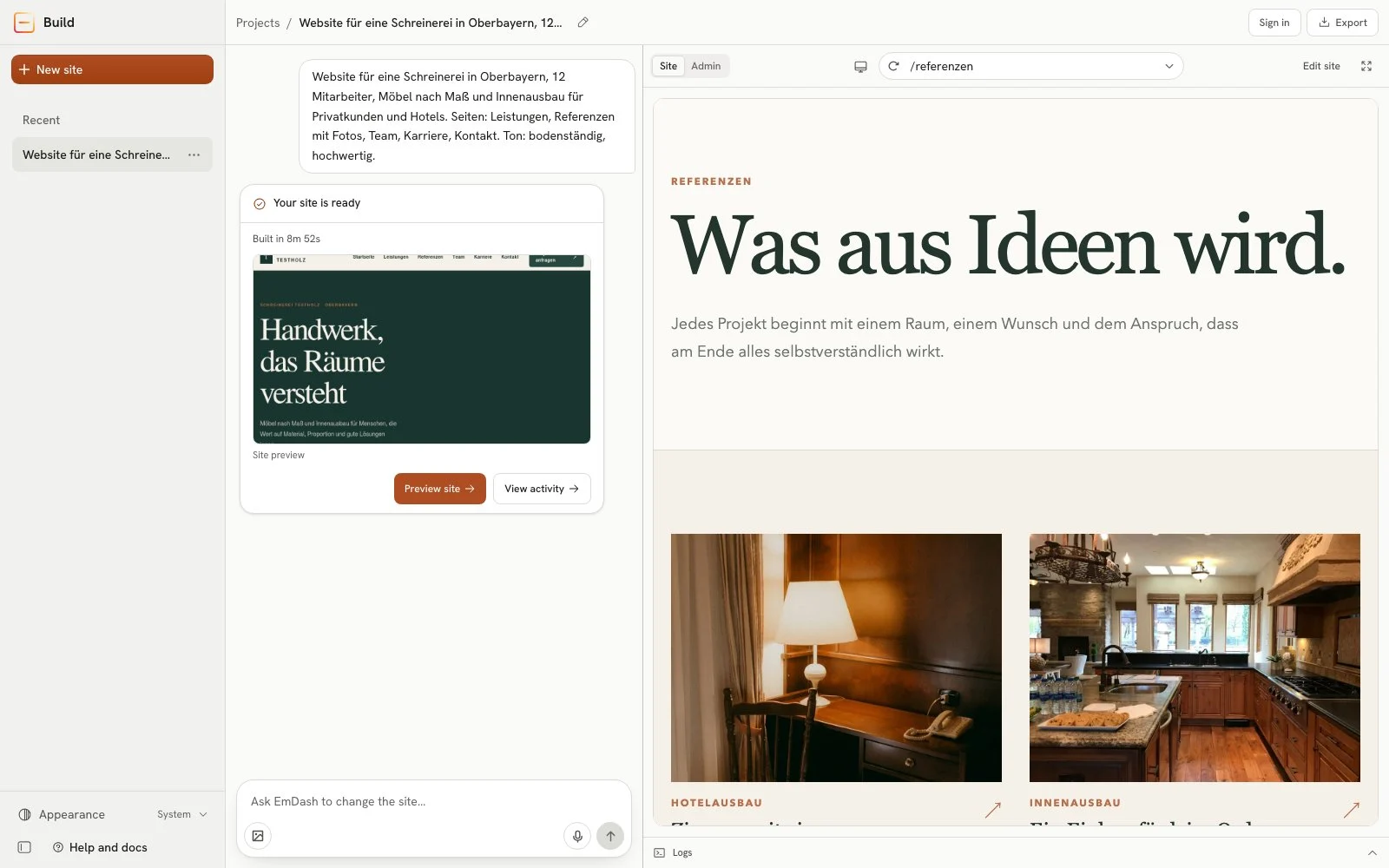
The content model genuinely fits the business in both runs, even though it was cut differently each time. The first run created five collections (pages, services, references, team and careers) and five custom block types, including a page intro, a contact panel and a project gallery. The second created four collections, because services became a single page built from image-and-text blocks, and four block types, such as a three-step process and, again, a project gallery. A reference has a project name, a short description, a cover image, an area, a location, a rich-text description and a captioned gallery, plus a year in the first run. Every field label in the admin is German. It's closer to what I'd have modelled myself than I expected.
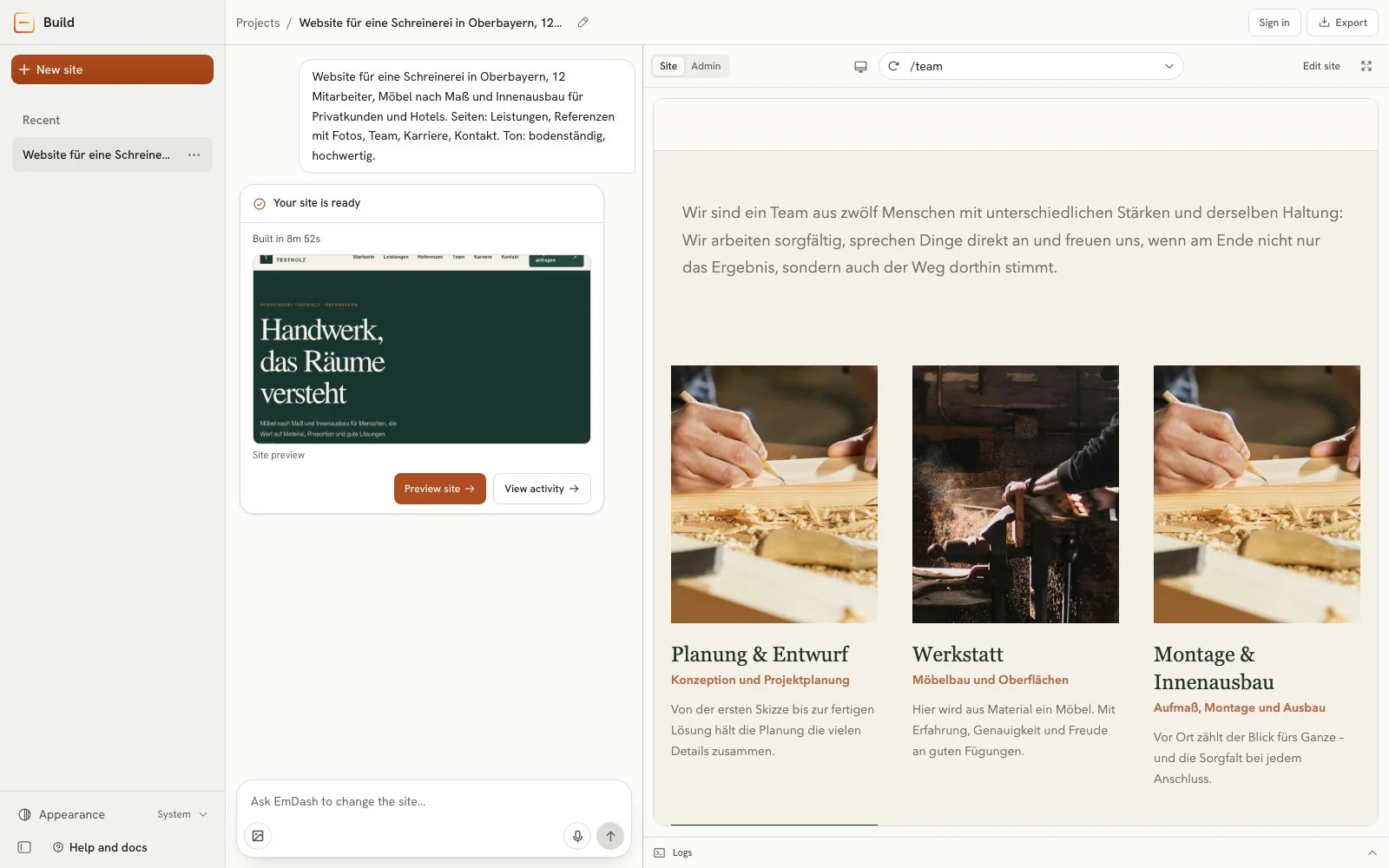
It isn't spotless. In the first run, the "area" field offered private, hotel and interior fit-out, which puts two client groups and a service in one field. The second run offered bespoke furniture, interior fit-out and hotel fit-out, which is much closer. A job's employment type was a choice of full-time, part-time, apprenticeship and internship once, and a free-text field the other time. And the team collection is built for people, with name, role and portrait, but both times the agent filled it with departments, three in one run, four in the other. That comes from a good rule: the system prompt forbids inventing names, contact details or references, so there are no made-up employees. The three reference projects, on the other hand, were invented anyway, both times, and illustrated with Unsplash photos.
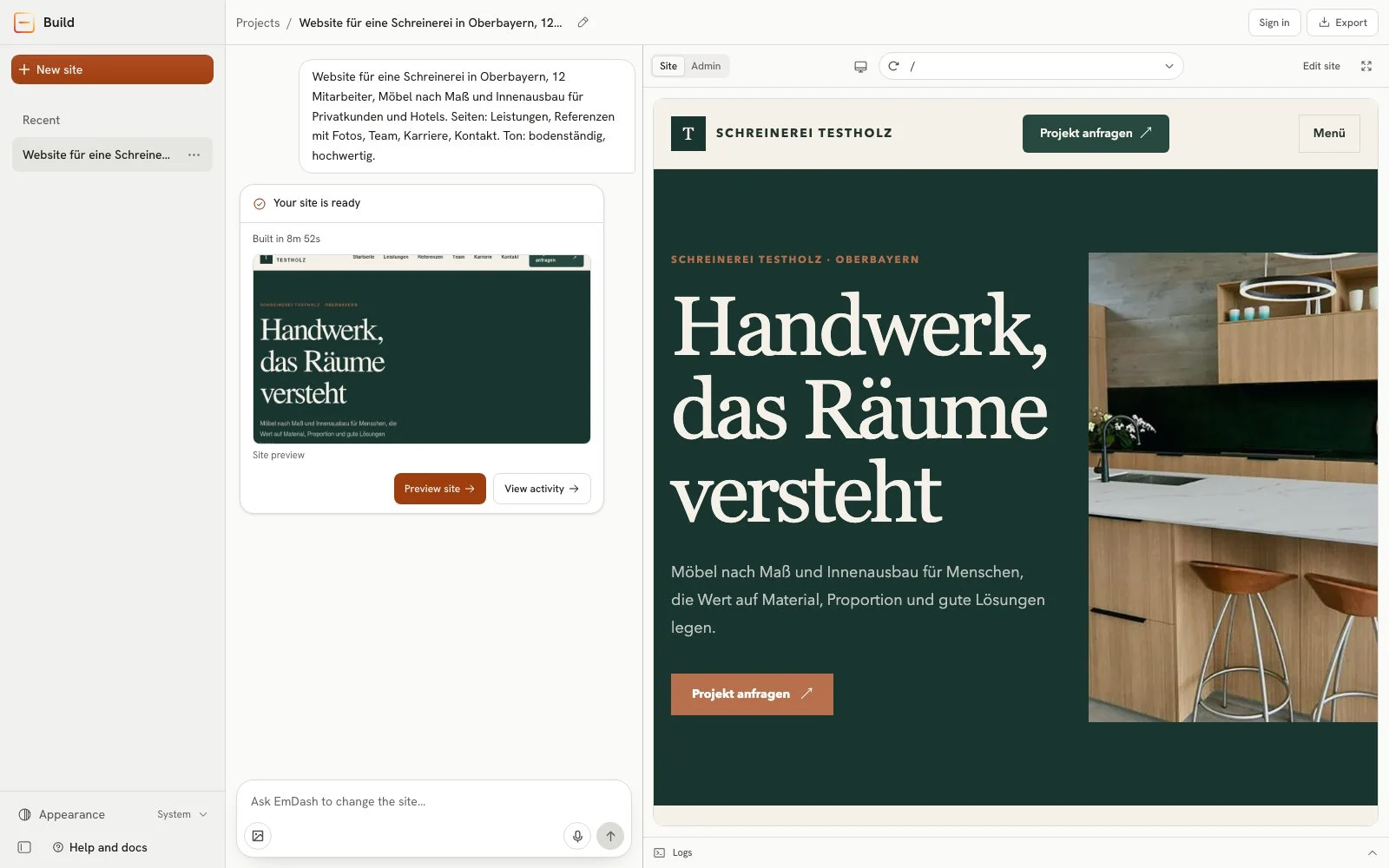
The pages look like a craft business rather than a SaaS landing page, with a serif typeface and large images. The colours differed, though: warm earth tones in the first run, a dark fir green with terracotta accents in the second. The first run built 14 routes, the second 10, and all of them worked. The German is good both times: formal "Sie", idiomatic, umlauts and ß all correct. I'd keep a line like "Maßarbeit, die nicht laut sein muss." (roughly: craftsmanship that doesn't need to shout) from the first run as it is, and the same goes for "Gut gemacht. Für lange." (well made, built to last) from the second. In the first run, the contact page showed the same intro text twice side by side; in the second it didn't.
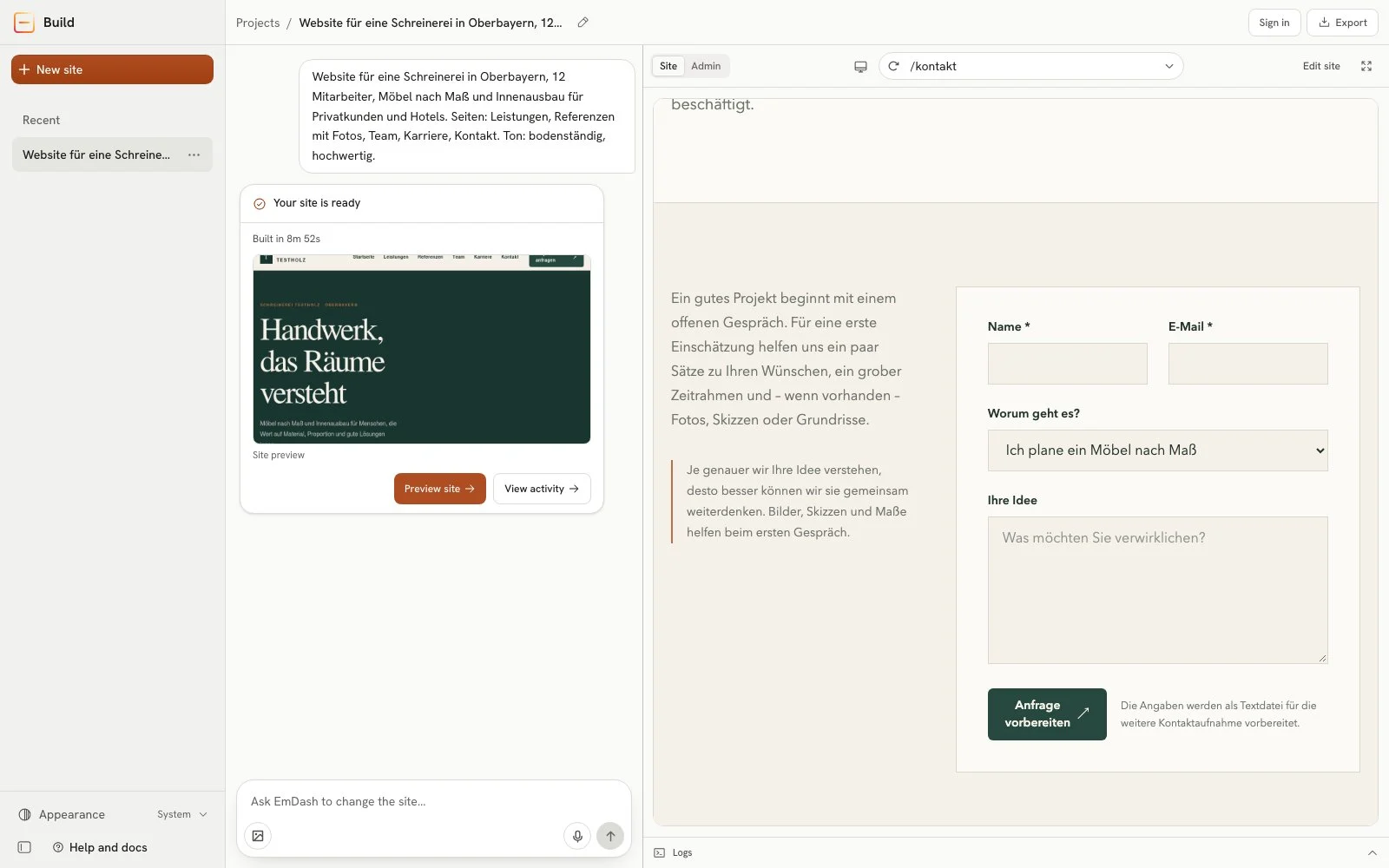
The contact form is where the convenience stops, because in neither run does it send anything. Both times the agent said so openly, since the brief had no recipient address. It solved it differently, though. In the first run it was a plain GET form with a note underneath, so whatever someone typed ended up in the URL. In the second, a script intercepts the submit and downloads the details to the visitor's own computer as projektanfrage.txt, with a note that they can now send the file to the joinery. Without JavaScript it falls back to GET again. Self-hosted, EmDash Build wouldn't even publish a form like this: according to the code, the static snapshot rejects forms that submit to the site's own domain. A real site needs a developer here.
What really matters, though, is what happens when someone without developer skills takes over.
Can an editor take over?
Mostly, yes. In the test, a reference got a new title in the admin. EmDash saves the change as a draft automatically; it only goes live with "Änderungen publizieren" (publish changes) and one more click in the confirmation dialog that follows. If you miss the dialog and click away, you'll wonder why the preview still shows the old title. Once confirmed, the change showed up in the preview straight away. Services, references, jobs, images and block order can all be maintained without touching code. The site also gets EmDash's on-page editing toolbar.
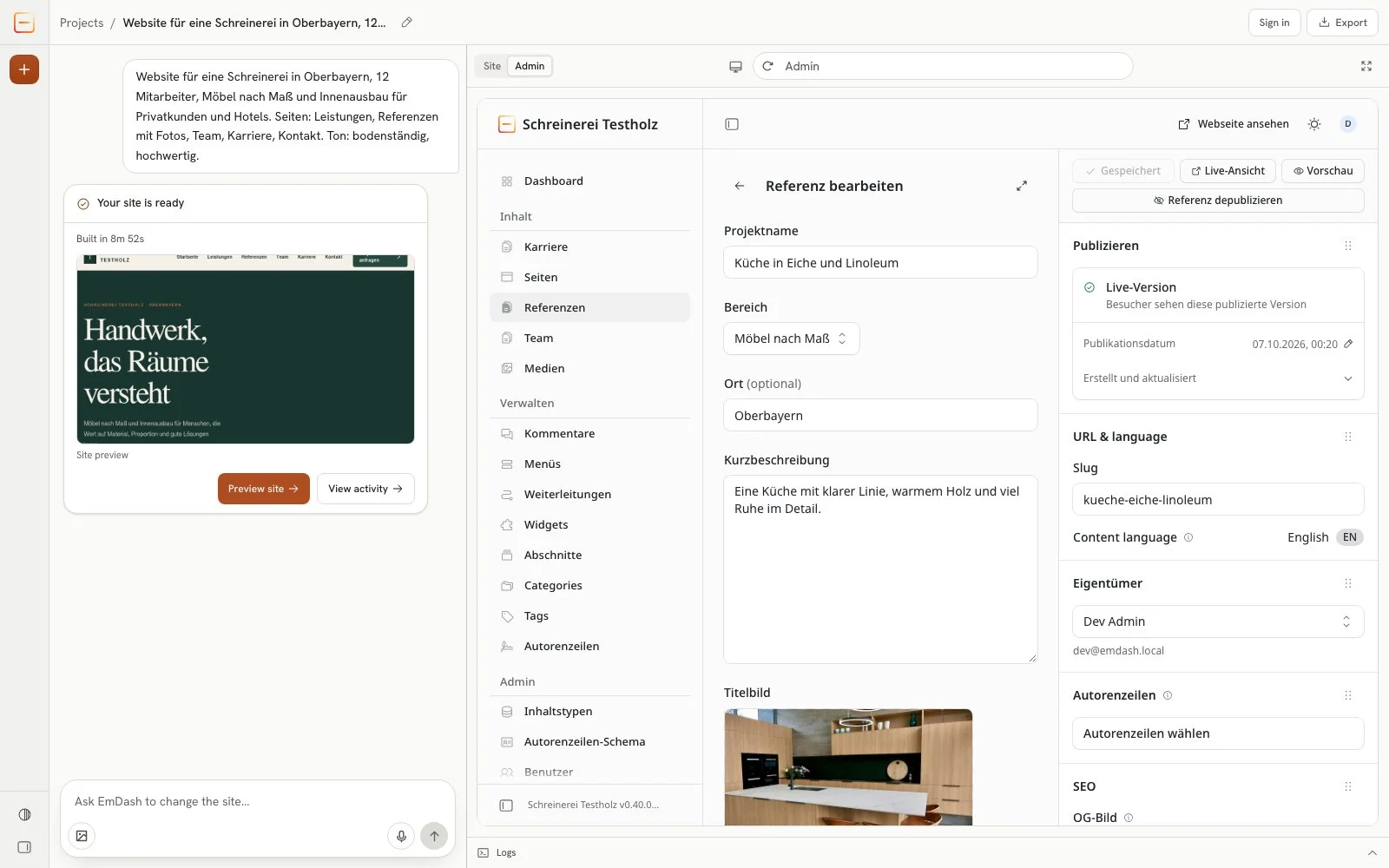
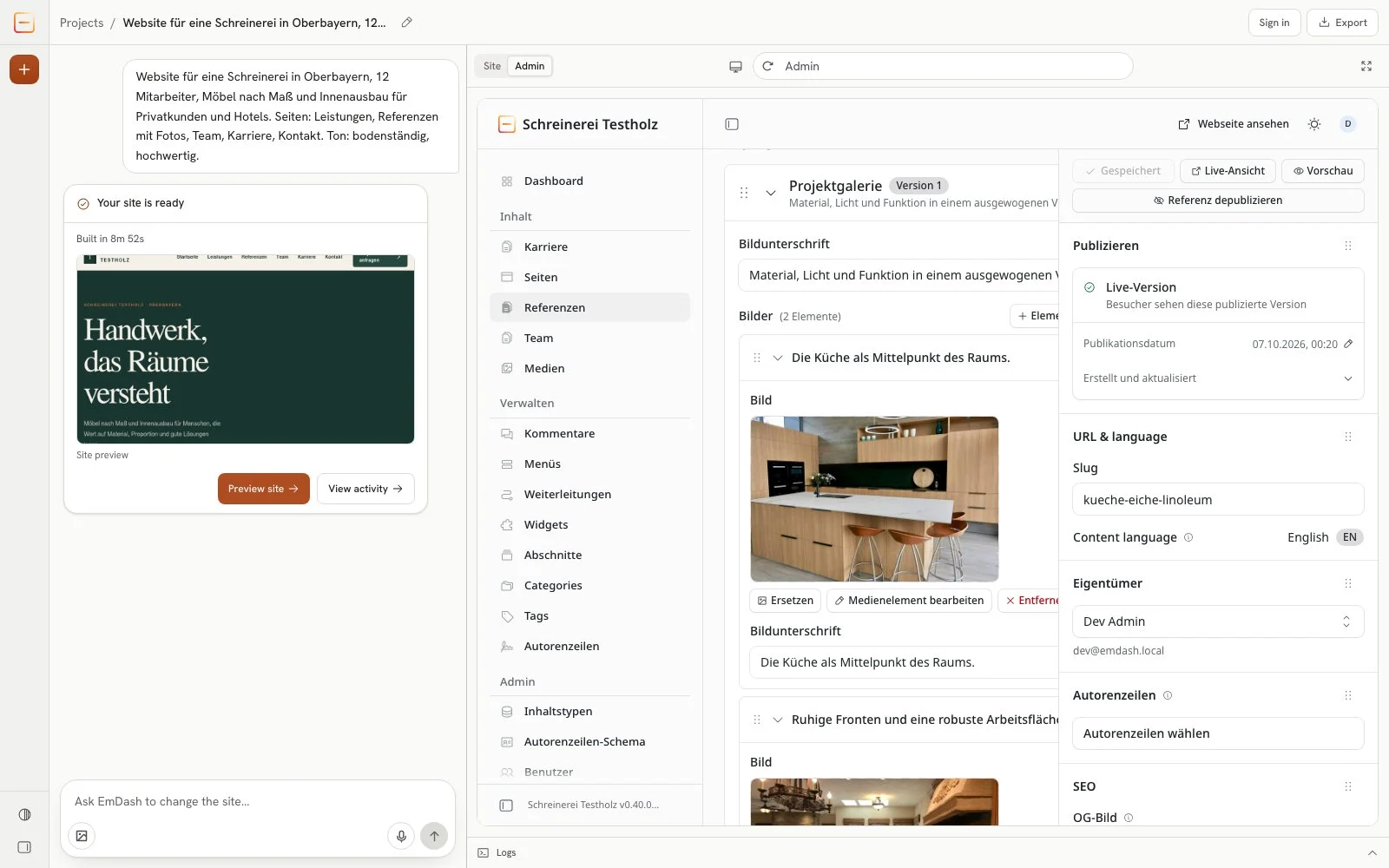
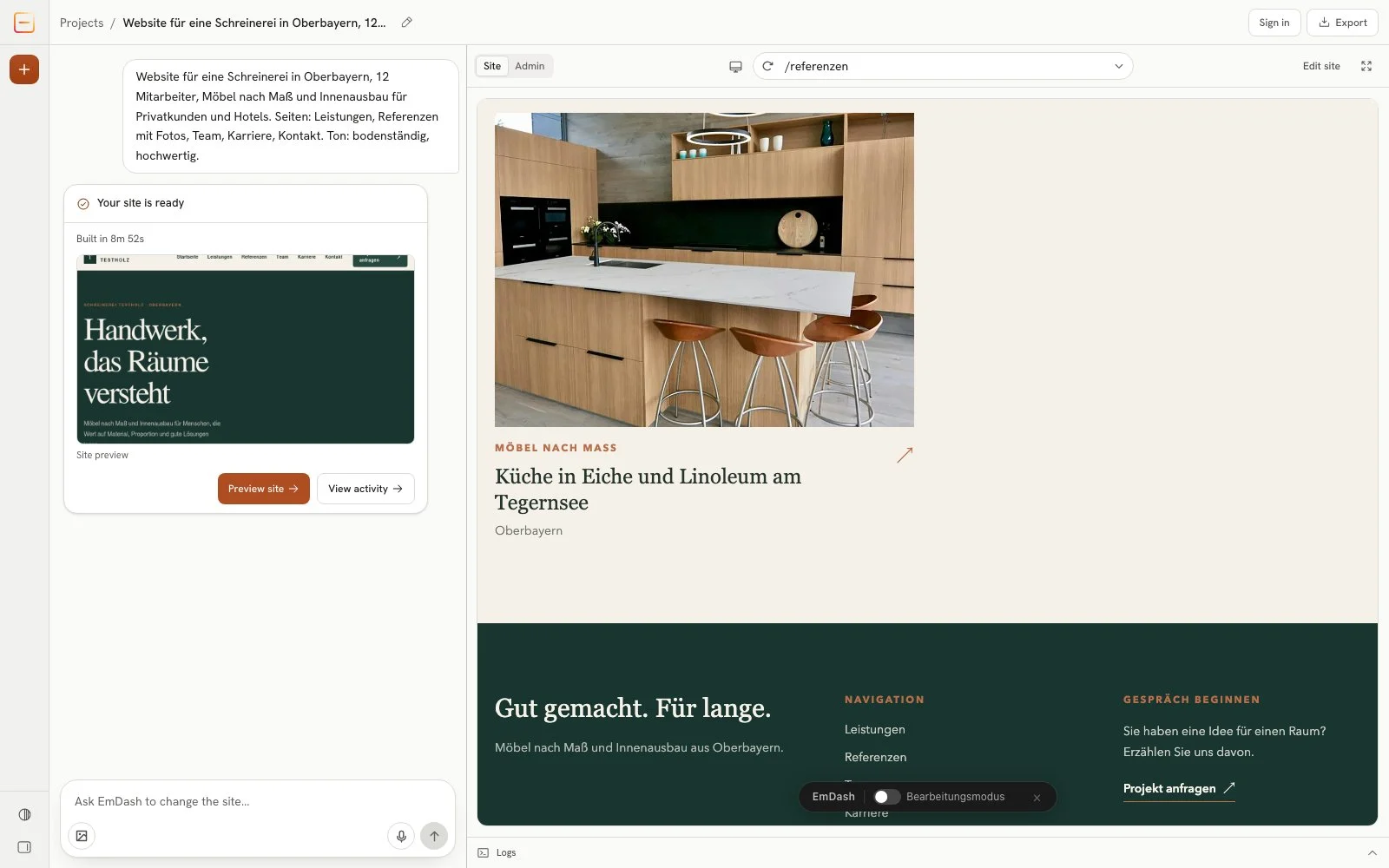
There are gaps, though, and they weren't the same ones twice either. In the first run, both menus existed in the CMS but were empty, and the navigation you saw came from a fallback in the layout. In the second, both menus existed and were filled, and the layout read them straight from the CMS. Hard-coded copy turned up both times, just in different places: in the footer, in homepage headings and on the contact page, and in the first run in the company name in the copyright line too. An editor who wants to change the footer slogan will look in the admin for a field and won't find one.
A follow-up request in the chat sorted that out in a little over two minutes each time, and validation passed. In the first run it was about the empty menus and the footer; in the second the agent was asked to make the hard-coded copy editable in the admin. That's the idea: small things in the admin, bigger ones through the agent. It does mean somebody has to notice the gaps first. And you should check the result. In the second run, the agent added the six new fields, such as "Footer-Slogan", to the whole pages collection. Every page now shows them, but only the home page's values are used. So anyone who wants to change the footer has to know it lives under pages → home, not in the settings.
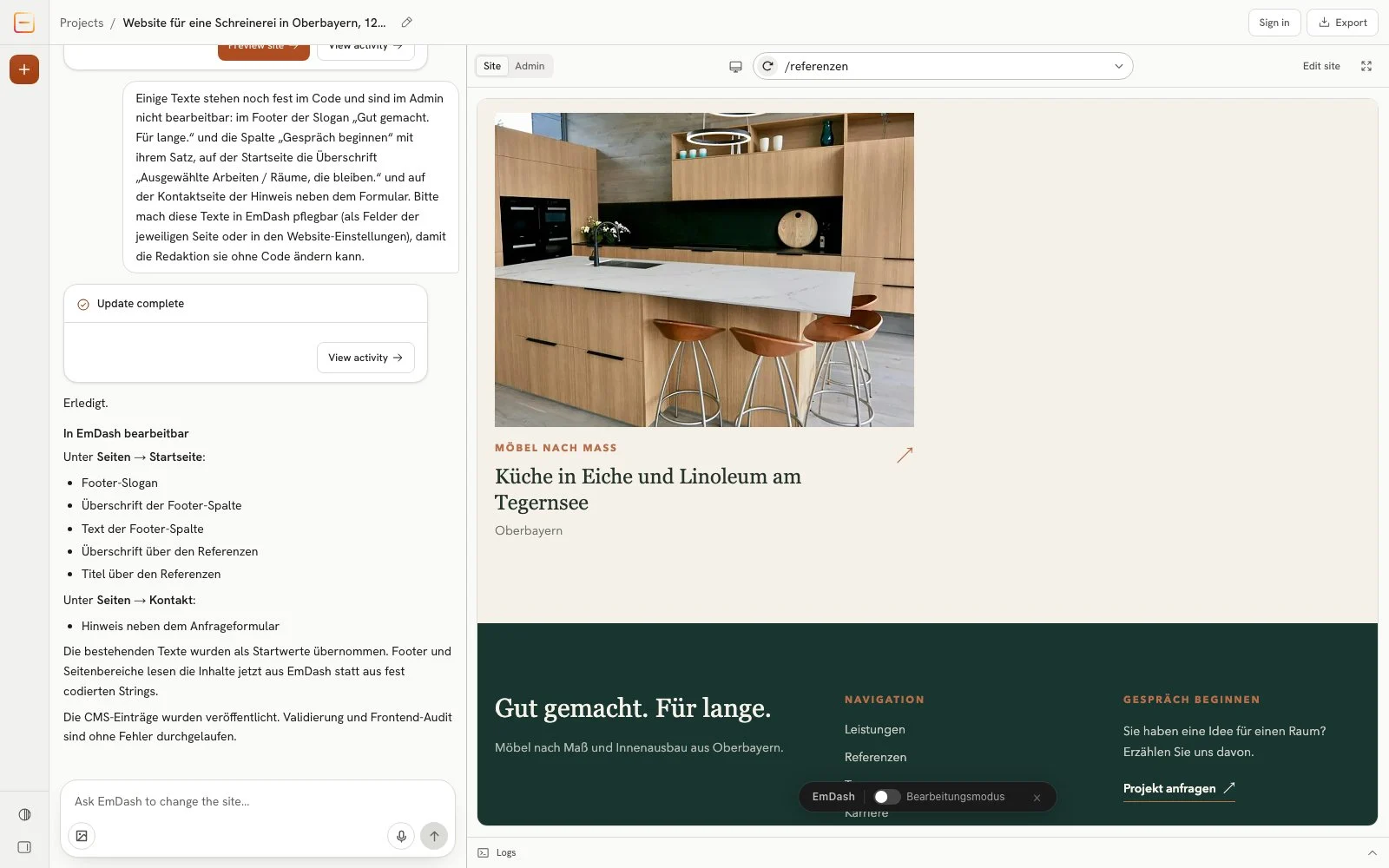
A few smaller things in the admin, too. In both runs it hung on "Loading EmDash…" the first time it was opened, with a React error ("Invalid hook call") in the console, and a reload fixed it every time. On first open it also greets you with a welcome dialog. And all German content had its content language set to "English", again in both runs.
According to the code, the interface language follows the language your browser asks for unless you've picked another one in the settings. In the first run the browser was set to English, and the admin was in English. In the second, with a German browser, it came up in German, with a few English leftovers: "Categories" in the sidebar, "URL & language" and "Content language" in the editor, timestamps like "5 mins ago", and, of all things, the publish confirmation dialog, "Publish changes?", whose buttons are German again.
Same brief twice, two different sites
If you've been keeping count, you'll have noticed: both runs got the same brief and still didn't build the same site.
6 October | 7 October | |
|---|---|---|
Questions | 3, including design | 2, no design question |
Build time | 9m 23s | 8m 52s |
Collections | 5, services as a collection | 4, services as a page |
Block types | 5 | 4 |
Routes | 14 | 10 |
Colours | warm earth tones | fir green with terracotta |
Menus in the CMS | created but empty | created and filled |
Contact form |
| downloads a text file |
That isn't a bug, it's in the nature of the thing. The questions, the content model, the pages and the copy all come from a language model, and it doesn't answer the same way twice. For you, that means what I describe here is two samples, not a fixed result. Run it yourself and EmDash Build may ask different questions, build a different schema and leave different gaps.
What held steady were the broad strokes. Both times there was a fitting content model with German labels, good German, invented references, departments instead of people on the team page, a form that sends nothing, hard-coded copy, and the same admin hang. Where exactly it falls short changes from run to run. So there's no checklist you can work through once and then tick off for every project. You have to look at every result afresh.
For editors, then, it still holds up. What a developer finds is in the export.
A look at the code
"Export" gives you a git clone command with a read token that expires after about an hour. Copied as offered, it failed in both runs on Git 2.54, with "URL rejected: Port number was not a decimal number". The culprit is an unencoded ?expires= in the token, which breaks the URL. On a Mac, in the default zsh shell, you don't even get as far as Git: zsh reads the question mark as a glob and stops with "no matches found". With the token URL-encoded (%3F for ?, %3D for =), the clone worked. One more thing: Git stores the URL, token included, in the clone's .git/config. The token does expire, but it's still a secret sitting on disk. Take it out after cloning with git remote remove origin before you share the folder or push it anywhere.
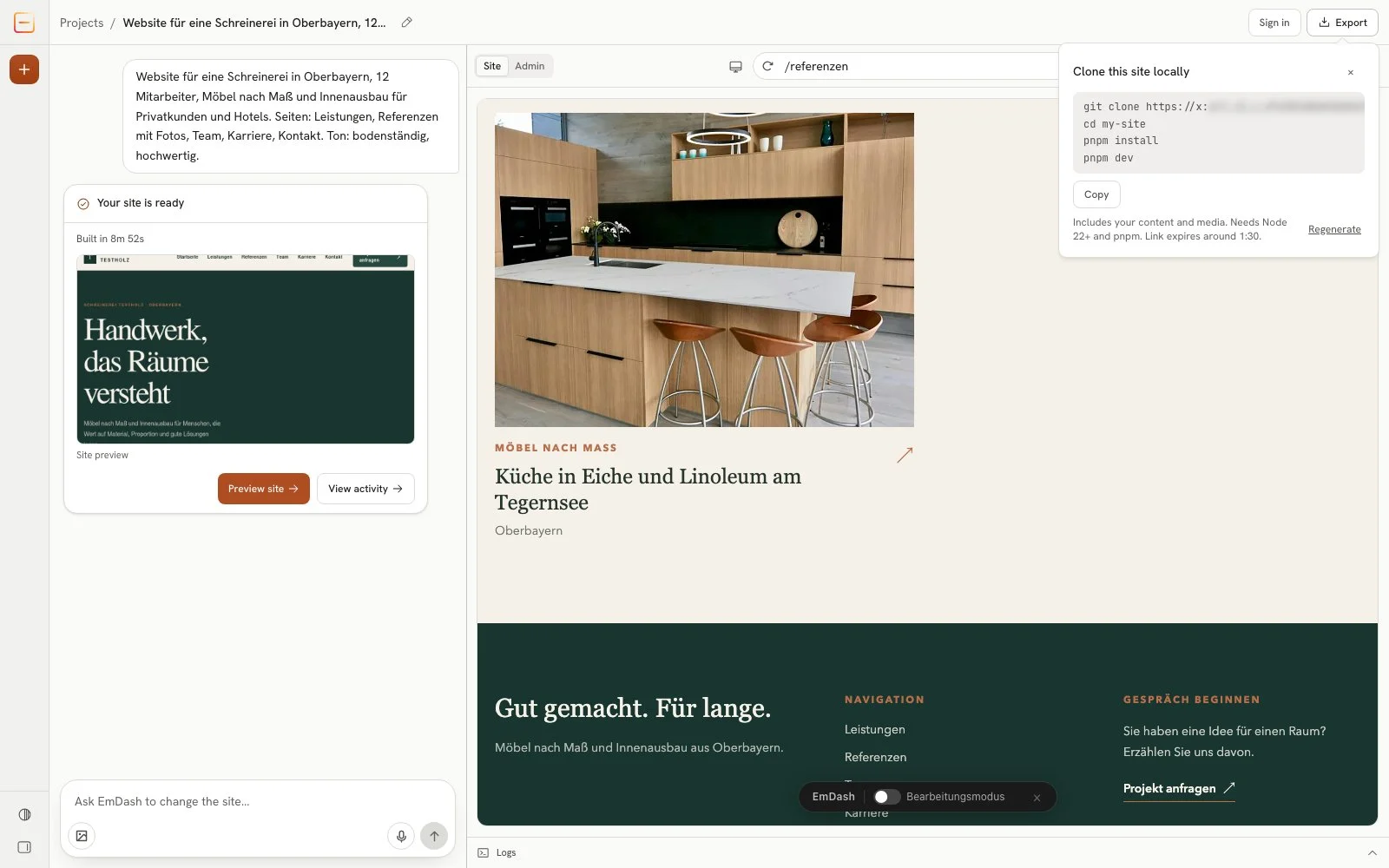
You get the whole project, an ordinary Astro and EmDash project, with the local database and media under .wrangler/ as well. You don't get any build history: the repository has exactly one commit, called "session snapshot". And that snapshot is whatever the agent last saved. In the second run, the admin edit was missing from the first clone, even though the panel promises "Includes your content and media". It only made it into the export after the next request to the agent.
The panel and the bundled GETTING-STARTED.md ask for Node 22 or later, while package.json requires Node 24. That isn't a blocker: on Node 22, pnpm install only prints a warning and the site runs anyway. On Node 24, pnpm install finished in about eleven seconds and pnpm dev was up in about nine, with every page, all the copy and the images coming from the local database. Locally, you get into the admin at /_emdash/admin through the dev bypass link the server prints to the console. With a German browser it came up in German, and it didn't hang. One small catch: Astro 7 ran astro dev as a background process here, so you stop it with astro dev stop rather than Ctrl+C.
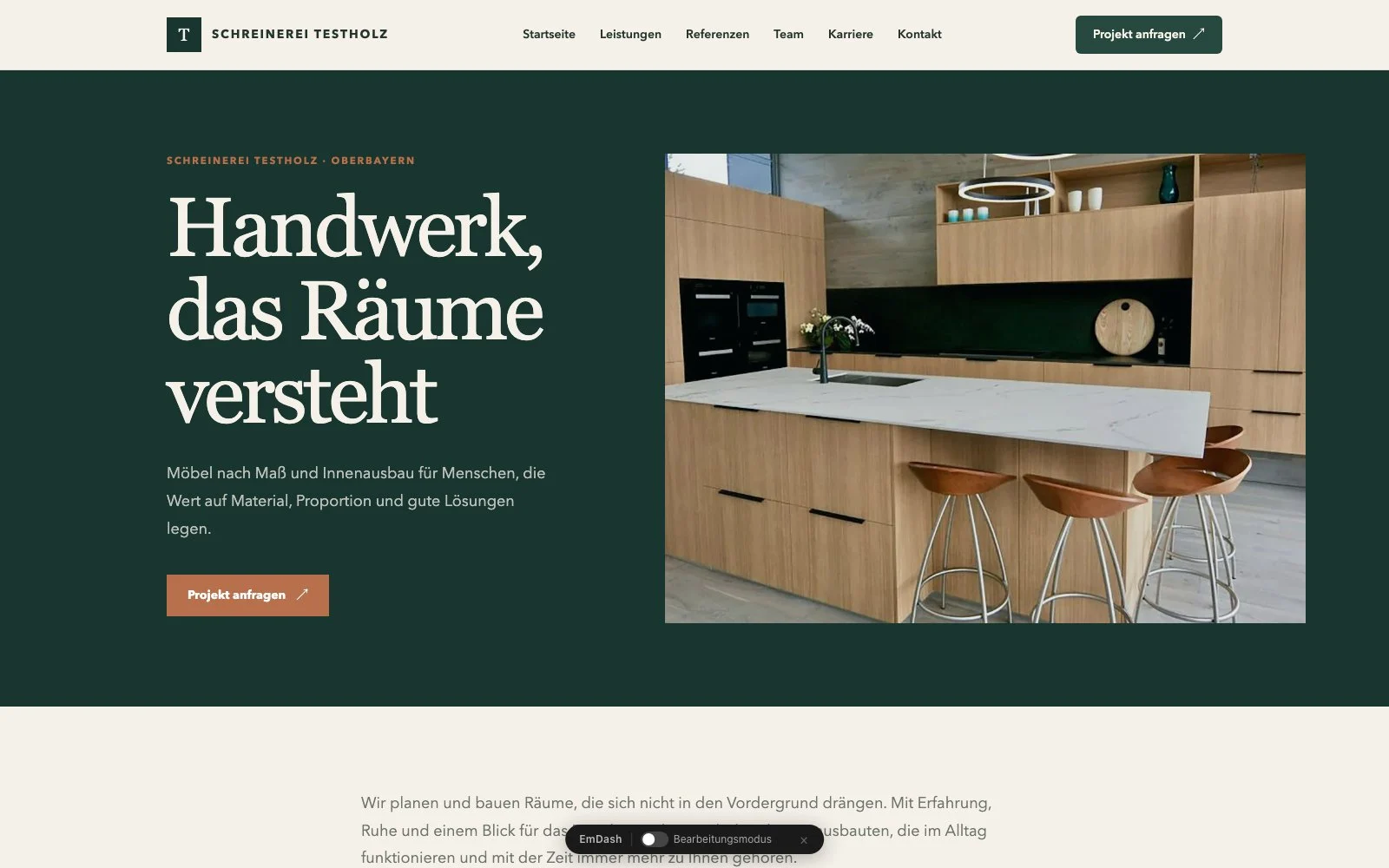
The code itself is lean. About 400 lines of Astro covered 14 routes in the first run; in the second it was about 410 for 10 routes. Everything is server-rendered, and there's no React in the public site. Queries go through getEmDashEntry and getEmDashCollection with cache hints, blocks through typed, versioned renderers. There's a skip link, labelled form fields, and a mobile menu built on <details> with no JavaScript at all. I still wouldn't want to maintain it by hand. A lot of the markup sits in very long single lines, in the first run sometimes a whole page on one line, and missing entries redirect to /404 instead of returning a 404 status.
Three more things stand out in the code:
- The project pins
emdashand@emdash-cms/cloudflareto 0.40.0, not 1.x. The admin shows the version in the bottom-left corner too. An open pull request moves new sites to EmDash 1.1; according to its description, existing projects stay on 0.40. astro.config.mjshas thevitekey twice. The second one overrides the first, which EmDash Build had inserted for the preview. That matches the failed HMR WebSocket connections in the console, 59 of them in one session in the second run. Locally, withpnpm dev, you won't notice: only the Sandbox preview needs the settings that get dropped.wrangler.jsonchas no cron trigger and no IDs. Without IDs the first deploy creates the D1 database itself with no location hint, and you can't change its location afterwards. If you want to deploy the export yourself, create the database and bucket with a location first and fill in the IDs. How to do that, and what the wrong location costs in load time, is in our article on the D1 region. Kevin's getting-started article shows the way from project to running site on Cloudflare.
Conclusion
Back to where I started. EmDash Build really does turn one paragraph of brief into a site that an editor can mostly look after on their own. It gets the content model and the language more right than I expected. The questions were useful, the schema fits a joinery, and the German is usable. That's what sets it apart from builders that only produce static HTML.
It isn't finished, though, and the alpha label says as much. Both runs had errors during the build, the admin hung on first open both times, and the clone command was broken. Some copy is hard-coded, the form sends nothing, and the export needs work. On top of that, the same brief doesn't give you the same site twice, so you can't check what EmDash Build delivers once and rely on it from then on. Nothing goes live yet either. The demo doesn't publish, and self-hosted you currently get a read-only snapshot, not an editable production instance. Nor does it replace talking to the client. Company details, real references, photos, the legal pages German sites need, and a working form aren't the agent's job, and it doesn't pretend otherwise.
That's not enough for client work today. For hosting providers and platforms that want to offer their own AI builder, though, it's a well-documented starting point that lays out its security model openly. Agencies get a first-draft tool, with a developer taking over afterwards and going through it piece by piece. I wouldn't put a small-business client in front of it on their own yet.
This article is based on two test runs on 6 and 7 October 2026 at build.emdashcms.com, each in a fresh guest session. Code at emdash-build commit 72b205f.

Comments
No comments yet
First-time comments appear once we've approved them. How we handle your details